
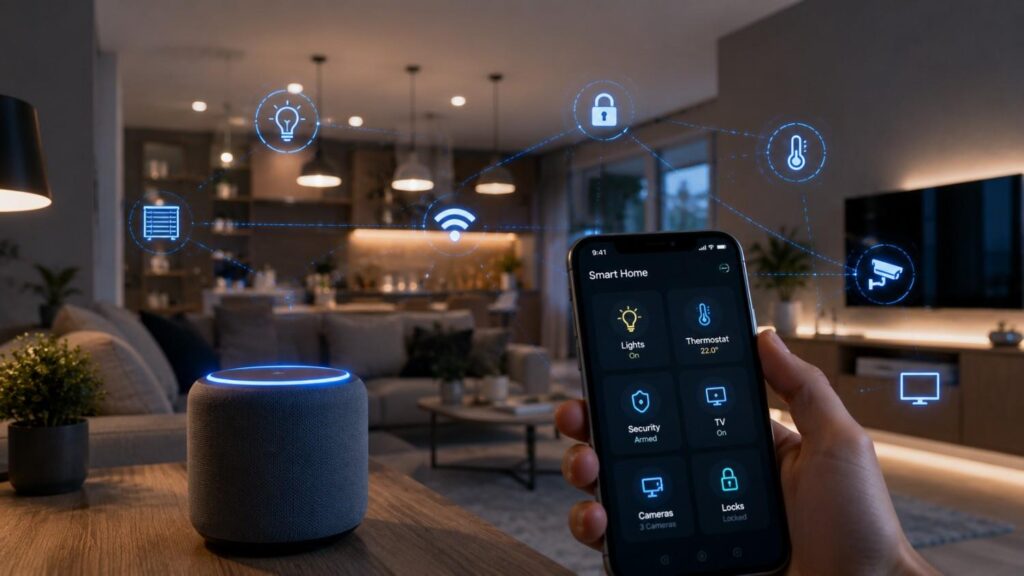
How IoT Devices Are Changing Home Automation
Home automation has existed for decades, but its purpose and capabilities have changed significantly. Earlier systems relied mainly on timers, wired controllers, programmable thermostats, and simple remote controls. A homeowner could schedule outdoor lights to switch on at a certain hour or program a heating system to follow the same routine each weekday. These systems were useful, but they had limited awareness of what was actually happening inside the home.
Modern connected home technology works differently. Internet of Things devices can use sensors, software, network connectivity, and automation rules to observe conditions and coordinate actions. Instead of turning on a light simply because it is 7:00 p.m., a connected system can check whether the room is occupied, whether natural light is available, and whether the household is following its usual schedule.
This ability to combine information is one of the clearest examples of how IoT devices are changing home automation. A modern smart home does not need to rely entirely on manual commands. It can respond to motion, temperature, door activity, water leakage, air quality, energy demand, or security events.
The most valuable improvement is not that every appliance can connect to a mobile application. A collection of separate apps can quickly become inconvenient. The real benefit appears when compatible devices work together through a reliable platform.
A well-designed IoT home automation system follows a logical process. Sensors collect information, a hub or controller evaluates that information, and connected devices perform appropriate actions. Residents remain in control through physical switches, apps, dashboards, schedules, voice commands, and manual overrides.
As the technology develops, home automation is becoming less focused on individual gadgets and more focused on complete household outcomes. These outcomes may include reducing energy waste, identifying maintenance issues earlier, improving accessibility, strengthening security, or simplifying repetitive daily tasks.
What Does IoT Mean in Modern Home Automation?
The Internet of Things refers to physical objects that use sensors, software, processing capabilities, and network connections to collect or exchange information. Within a home, these objects may include thermostats, light bulbs, electrical plugs, security cameras, locks, appliances, speakers, blinds, air-quality monitors, smoke detectors, and water sensors. When these products communicate with a controller or with one another, they become part of a wider connected environment.
Home automation is the practical application of this connectivity. IoT technology provides the observation and communication capabilities, while the automation system determines how the home should respond. The system may follow a schedule, react to a sensor, evaluate several conditions, or wait for a user command.
It is helpful to separate simple remote control from genuine automation. Switching on a lamp through a phone application is convenient, but it is still a manual action. An automated lighting routine can check the time, occupancy, brightness level, and household status before deciding whether the lamp should switch on. The second example uses information to make the system more responsive.
A complete IoT-based home automation setup usually contains four layers. The first layer includes sensors that observe household conditions. The second is the communication network that carries the information. The third is a controller, hub, or software platform that evaluates automation rules. The fourth includes actuators or connected products that perform physical actions.
These layers may operate locally, through cloud services, or through a combination of both. Local operation can improve response times and preserve some functions during an internet outage. Cloud services can support remote access, off-site notifications, account management, analytics, and integrations. Understanding these basic components helps homeowners choose products that work together instead of purchasing isolated devices with overlapping functions.
Sensors Collect Information About the Home
Sensors act as the observation layer of a smart home. They monitor physical conditions and convert them into information that an automation system can understand. Common examples include motion sensors, contact sensors, temperature sensors, humidity monitors, light sensors, smoke detectors, occupancy sensors, and water-leak detectors.
A contact sensor installed on a door can report whether the door is open or closed. A motion sensor can detect movement in a hallway. A light sensor can determine whether the room is already bright enough. When these readings are combined, the system can make a more useful decision than any one sensor could support independently.
For example, a hallway light should not necessarily turn on whenever motion is detected. During the day, natural light may already provide sufficient visibility. At night, the same motion event may justify low-level lighting. The system can therefore check both movement and ambient brightness before taking action.
Sensor quality, placement, battery condition, wireless coverage, and calibration all affect reliability. Poorly positioned motion sensors may generate false alerts, while a leak sensor placed too far from a likely water source may provide little protection. Homeowners should test each sensor under realistic conditions instead of assuming that installation alone guarantees accurate results.
Well-planned smart home sensors reduce unnecessary manual input and provide the real-time information needed for responsive automation.
Actuators Turn Information Into Action
An actuator is the component that performs a physical action after the automation system makes a decision. It may switch a light on, adjust a thermostat, lock a door, close a water valve, raise a blind, activate a fan, or change the operating mode of an appliance.
A typical automation follows a clear sequence. First, a sensor detects an event or changing condition. Second, the device sends that information through the home network. Third, a hub, controller, or automation platform compares the information with a defined rule. Finally, an actuator carries out the approved action and may report its status back to the system.
Consider a water-leak routine. A moisture sensor detects water beneath a washing machine. The automation platform confirms the event, sends an alert to the homeowner, and instructs a compatible shutoff valve to close. The process may also activate nearby lighting or trigger a camera to record the affected area.
Not every action should occur automatically. Unlocking doors, disabling alarms, or switching high-load equipment can create safety risks when conditions are misunderstood. Sensitive actions should require additional verification, carefully defined rules, or manual approval.
Reliable systems also include manual overrides. Residents must be able to use a physical switch, valve, lock, or thermostat if the automation platform, network, or internet service is unavailable. Automation should support normal household operation rather than make basic functions dependent on a single digital interface.
How IoT Devices Are Changing Home Automation in Daily Life
The most important development in modern home automation is the transition from isolated commands to context-aware routines. Early smart devices often replaced a physical button with a mobile application. Although remote control was useful, it frequently required the homeowner to open a separate app, locate the correct device, and issue the same command repeatedly.
Modern IoT systems can reduce that effort by combining schedules, sensor readings, household presence, environmental conditions, and user preferences. The home can then respond automatically when a known situation occurs. This does not mean that every household task should be automated. Effective automation focuses on predictable, repetitive actions where a reliable rule can improve convenience, safety, or efficiency.
A useful morning routine might adjust selected lights, blinds, and climate controls. However, the system should not perform those actions simply because the clock reaches a certain time. It can first check whether anyone is home, whether the room is occupied, whether sufficient daylight is available, and whether the day follows a normal household schedule.
Daily-life automation is also becoming more personalized. Different family members may have different lighting, temperature, accessibility, or notification preferences. A well-designed system can support those differences without making the home confusing for guests or residents who prefer traditional controls.
The best routines usually work quietly in the background. Residents may notice that a hallway is comfortably lit, an empty room is not being cooled unnecessarily, or a forgotten garage door has generated an alert. They should not have to constantly manage the technology.
To achieve that experience, automations need clear conditions, reliable sensors, understandable naming, and simple manual controls. Homeowners should begin with one or two high-value routines, test them thoroughly, and expand only after the system proves dependable.
Automation Is Becoming Context-Aware
A schedule-based system performs an action at a predetermined time. A context-aware system checks the surrounding conditions before deciding whether the action is appropriate. This additional awareness makes modern home automation more flexible and less wasteful.
Consider a basic evening lighting schedule. The lights may be programmed to switch on at 6:00 p.m. throughout the year. However, daylight conditions vary by season, weather, location, and room orientation. A context-aware routine can check an ambient light sensor and occupancy status before activating the lights. If the room is empty or already bright, no action is needed.
Climate automation can use similar logic. A thermostat may consider occupancy, household schedules, open windows, indoor temperature, and geofencing information before adjusting the heating or cooling system. ENERGY STAR notes that smart thermostats commonly provide functions such as scheduling, remote adjustment, geofencing, and automatic control intended to reduce unnecessary HVAC operation.
Context can also prevent conflicting actions. A ventilation fan should not activate based on humidity if a nearby window is already open and outdoor conditions are unsuitable. A robot vacuum should not begin cleaning when the security system indicates that a door has been left open.
The more conditions an automation uses, the more carefully it must be tested. Overcomplicated routines can become difficult to troubleshoot. Homeowners should use the smallest number of reliable conditions needed to produce a predictable result.
Remote Monitoring Provides Earlier Warnings
Remote home monitoring allows residents to view device status and receive alerts while they are away. Security cameras and smart locks are familiar examples, but the same principle can apply to water leaks, indoor temperature, smoke alarms, freezers, garage doors, appliances, and air-quality monitors.
The greatest benefit is often early awareness rather than remote control. A leak sensor cannot repair a damaged pipe, but it can notify the homeowner before water remains undetected for several hours. A freezer-temperature sensor may reveal a power or door-seal problem before food spoils. A garage-door sensor can warn that the door is still open after the household has left.
Useful notifications should be specific and actionable. An alert that simply states “device problem” provides limited value. A better message identifies the affected device, location, time, and recommended action. Notification levels should also reflect urgency. A low battery warning does not require the same response as smoke detection or water leakage.
Remote monitoring still depends on device power, network connectivity, account access, and notification delivery. Critical safety planning should not rely on a single smart product or mobile alert. Required smoke, carbon monoxide, security, and emergency systems must be installed and maintained according to applicable safety requirements.
Smart monitoring works best as an additional layer of awareness. It can help residents respond sooner, verify household conditions, and make better decisions when they are not physically present.
Voice and App Control Improve Accessibility
Voice assistants, mobile applications, wall-mounted dashboards, and wearable controls can make household functions easier to access. These interfaces may be especially useful for residents with limited mobility, reduced reach, temporary injuries, visual limitations, or difficulty operating small switches and controls.
A resident can use a voice command to adjust lighting, change the temperature, close motorized blinds, check whether a door is locked, or activate a prepared routine. Mobile controls can provide similar assistance from a bed, wheelchair, garden, or another part of the home.
Accessibility improves further when several actions are grouped into one routine. A “good night” command might turn off selected lights, lower the thermostat, lock exterior doors, and confirm that the garage is closed. This reduces the number of physical tasks the resident must complete.
However, voice and app controls should not become the only available interfaces. Speech recognition may be unreliable in noisy rooms or for users with certain speech conditions. Mobile applications may change after updates, and cloud-based voice services may become unavailable during an internet outage.
Physical switches, clear labels, manual overrides, and visible status indicators should therefore remain part of the design. Household members should also agree on straightforward names for rooms, scenes, and devices.
Accessible home automation should simplify everyday activities without forcing residents to learn complex technical procedures or depend on one method of control.
Where Are Smart Home IoT Devices Making the Biggest Impact?
Smart home technology delivers the greatest value when it addresses a specific household problem. Adding connectivity to an appliance does not automatically make the appliance more useful. The benefit appears when sensors, automation rules, and controls help residents achieve a practical outcome that would otherwise require repeated attention.
Comfort is one major area of impact. Connected lighting, thermostats, blinds, fans, and air-quality devices can maintain more suitable indoor conditions while reducing unnecessary manual adjustments. Energy management is closely related because the same system can avoid heating, cooling, or illuminating unoccupied spaces.
Security and safety represent another important category. Connected locks, door sensors, cameras, smoke alarms, water sensors, and shutoff valves can provide better visibility into household events. They can also support coordinated routines, such as locking doors and activating selected sensors when everyone leaves.
Maintenance is becoming more data-driven as well. Connected appliances may provide operating information, filter reminders, temperature warnings, error notifications, or unusual-runtime alerts. Although these features do not replace professional inspection, they can help homeowners recognize problems sooner.
The most successful installations usually begin with one clearly defined priority. A homeowner concerned about water damage might start with leak sensors and a compatible shutoff valve. A household with high heating and cooling costs might begin with a smart thermostat, room sensors, and improved scheduling.
This goal-based approach is more effective than purchasing unrelated devices because they appear innovative. It also makes it easier to measure whether the automation delivers a meaningful benefit.
As systems expand, residents should continue reviewing whether each device remains useful, secure, and supported. A smaller system built around dependable routines often provides more value than a large collection of disconnected products.
| Device Category | Primary Role | Common Use Case | Main Benefit |
|---|---|---|---|
| Smart Thermostats | Climate Control | Automatic temperature adjustment | Improved energy efficiency |
| Smart Lighting | Lighting Automation | Scheduled and motion-based lighting | Convenience and lower energy use |
| Smart Locks | Access Control | Keyless entry and remote locking | Enhanced home security |
| Smart Cameras | Surveillance | Live monitoring and motion alerts | Better property protection |
| Smart Sensors | Environment Monitoring | Detect motion, leaks, smoke, or temperature | Early issue detection |
| Smart Plugs | Device Automation | Schedule appliances and electronics | Reduced unnecessary power consumption |
Comfort and Energy Management
Smart thermostats, lighting controls, occupancy sensors, motorized blinds, smart plugs, and connected fans can work together to improve comfort while reducing unnecessary operation. These devices provide the most value when automation is based on real conditions instead of fixed assumptions.
A thermostat can lower heating or cooling output when the home is empty. Occupancy sensors can prevent lights from remaining on in unused rooms. Motorized blinds may reduce direct sunlight during the hottest part of the day, while smart plugs can disconnect selected standby loads according to a schedule.
ENERGY STAR reports that certified smart thermostats save approximately 8% on heating and cooling bills on average, although actual results depend on climate, comfort preferences, occupancy patterns, HVAC equipment, and previous thermostat use. Certified models must demonstrate energy savings through field data rather than relying only on laboratory claims.
Homeowners should not assume that every connected device will reduce energy consumption. Additional hubs and always-on products also use electricity, and badly designed routines may operate equipment more often than necessary.
One practical approach is to identify the largest source of avoidable energy use first. The homeowner can then monitor the relevant equipment, establish a baseline, apply a focused automation, and compare the results.
Comfort should remain the priority. An automation that saves a small amount of energy but makes rooms consistently uncomfortable is unlikely to remain enabled. The strongest systems balance efficiency with household needs.
Security and Household Safety
IoT-based home automation can coordinate smart locks, contact sensors, cameras, video doorbells, motion detectors, alarms, lighting, and presence-based routines. When these devices work together, homeowners gain a clearer view of security events than they would receive from isolated products.
A departure routine might lock selected doors, close the garage, switch off unnecessary lights, arm sensors, and notify the household if an entry point remains open. An arrival routine may activate exterior lighting and disarm only the appropriate interior sensors after a verified user enters.
Connected safety devices can also monitor water leakage, temperature changes, smoke-alarm status, appliance operation, and other conditions. A leak detector connected to a shutoff valve may help limit water flow after a confirmed incident.
Cameras and microphones require careful privacy management because they can capture sensitive household activity. The Federal Trade Commission recommends checking whether camera systems encrypt account information, live video, and stored recordings. Users should also create strong passwords, enable available multifactor authentication, and keep camera software updated.
Automation should not create a false sense of security. Sensors can fail, batteries can expire, wireless signals can be interrupted, and notifications can be missed. Critical systems need routine testing, backup plans, and professional installation where appropriate.
The best security automation supports established safety practices. It should provide earlier awareness, consistent routines, and convenient verification without replacing required alarms, locks, emergency procedures, or human judgment.
Maintenance and Appliance Awareness
Connected appliances and monitoring devices can provide information about operating cycles, temperatures, energy consumption, filter condition, battery health, error codes, and unusual equipment behavior. This information can help homeowners move from reactive maintenance toward earlier intervention.
For example, a smart heating system may report longer-than-normal operating periods. That observation does not prove that a particular component has failed, but it may indicate that filters, insulation, sensors, or HVAC equipment should be inspected. A refrigerator temperature warning can reveal a door problem or power interruption before food spoilage becomes obvious.
Water heaters, washing machines, dishwashers, sump pumps, and freezers are particularly suitable for status monitoring because failures may cause expensive damage or inconvenience. A connected plug or energy monitor may also reveal that a device is drawing power unexpectedly.
The term “predictive maintenance” should be used carefully in residential settings. Industrial systems often use large datasets, dedicated sensors, and advanced analytics to predict equipment failure. Consumer smart-home products usually provide simpler alerts, trend information, or manufacturer-defined maintenance reminders.
Residents should treat these notifications as evidence that further investigation may be needed, not as a guaranteed diagnosis. Professional inspection remains important for electrical, plumbing, heating, structural, and safety-related problems.
The practical advantage is improved visibility. Homeowners do not need to wait until equipment completely stops working before noticing a change. When combined with regular maintenance, connected monitoring can support faster decisions and reduce avoidable disruption.
Which Connectivity Standards Power IoT Home Automation?
Smart home products require a way to exchange information, but they do not all use the same networking technology or communication standard. Wi-Fi, Bluetooth Low Energy, Thread, Zigbee, and Z-Wave may each connect different types of devices. Matter operates at a different level by providing an IP-based smart home standard intended to improve interoperability across supported ecosystems.
Understanding this distinction helps prevent a common purchasing mistake. A device may support Matter as its application standard while using Wi-Fi or Thread as the underlying network. Matter does not replace the radio or physical network. Instead, it provides a more consistent way for certified devices and platforms to recognize features, exchange commands, and coordinate operation.
Wi-Fi is widely available and can carry large amounts of data, making it suitable for cameras, displays, speakers, and appliances. However, continuously connected Wi-Fi may not be ideal for every small battery-powered sensor. Thread is designed as a secure, low-power, IP-based mesh networking protocol and can support devices such as locks, sensors, switches, and controls.
Zigbee and Z-Wave continue to be used in many established smart home systems. They often require a compatible hub, coordinator, or bridge, but they have extensive existing device ecosystems.
Bluetooth Low Energy is frequently used during device setup and for short-range communication. Matter devices may use Bluetooth Low Energy during commissioning before communicating operationally through Wi-Fi, Thread, or Ethernet.
No protocol should be selected based only on popularity. Buyers should consider device type, power requirements, coverage, local control, platform support, hub requirements, data bandwidth, and long-term availability. A well-planned home may use several technologies while presenting them through one consistent control platform.
Smart-Home Connectivity Comparison
The following comparison summarizes the primary role of each major smart-home technology. Individual products may implement these technologies differently, so specifications and platform requirements should always be checked before purchase.
| Technology | Main Role | Common Strength | Important Consideration |
|---|---|---|---|
| Wi-Fi | Direct network connectivity | High bandwidth and broad router support | Can use more power than low-power mesh options |
| Thread | Low-power IP mesh networking | Resilient communication for sensors, locks, and controls | Requires a compatible Thread border router |
| Zigbee | Low-power mesh networking | Large established ecosystem of lights and sensors | Usually requires a compatible coordinator or hub |
| Z-Wave | Smart-home mesh networking | Commonly used for locks, sensors, and control devices | Regional frequencies and hub support must be checked |
| Bluetooth Low Energy | Setup and short-range communication | Broad smartphone support and efficient commissioning | Usually not the only network used for whole-home operation |
| Matter | Cross-ecosystem application standard | More consistent setup and interoperability | Platform, device type, and advanced feature support still vary |
Wi-Fi can be practical for mains-powered products and devices that transfer video, audio, or substantial amounts of data. Thread focuses on low-power, reliable communication and uses mesh networking so compatible powered devices can help extend network reach.
Zigbee and Z-Wave remain relevant for homeowners with established hubs and installed devices. Replacing a dependable existing network may provide little benefit unless new features or compatibility requirements justify the change.
Matter should be viewed as an interoperability layer rather than a universal wireless replacement. It can simplify control across certified ecosystems, but homeowners still need to understand the network technology beneath each product.
Why Matter and Thread Are Important
Smart home buyers have traditionally needed to check whether each device supports a particular platform, hub, application, or manufacturer ecosystem. This fragmentation makes product selection confusing and can trap users inside systems that do not communicate easily with competing products.
Matter is designed to improve this situation by providing a shared, IP-based standard for compatible smart home products. A Matter-certified device can be added to supported Matter ecosystems without requiring every manufacturer to develop a completely separate communication method for each platform.
The Connectivity Standards Alliance describes Matter as a standard intended to improve secure, reliable interoperability. Matter also supports multi-admin experiences, allowing compatible devices to be shared with more than one supported ecosystem. However, individual platforms may expose different features, and manufacturers may still reserve certain advanced functions for their own applications.
Thread complements Matter by providing low-power, IP-based mesh connectivity. Thread networks are designed without a single central point of failure and can automatically adjust routes when network conditions change. A Thread border router connects the Thread mesh with the wider IP network without functioning as a proprietary translation bridge.
Together, Matter and Thread can make installation and expansion more consistent. They do not eliminate the need to check compatibility. Buyers should still confirm device categories, border-router availability, ecosystem support, firmware requirements, and whether the desired features are accessible through their chosen platform.
Local Control Versus Cloud Control
Local control means that commands and automation rules are processed within the home network or on a local controller. Cloud control means that some instructions, device data, or automation decisions travel through remote servers operated by the manufacturer or platform provider.
Local control can provide faster responses because commands do not need to travel across the public internet. It can also allow supported routines to continue when the external internet connection is unavailable. Lighting, sensors, switches, and climate routines are often more dependable when their basic operation does not depend entirely on a remote service.
Cloud services remain useful. They may support remote access, off-site notifications, voice assistants, data backup, device analytics, account synchronization, and integrations with external services. Some advanced product features are available only through the manufacturer’s cloud platform.
The best approach is usually a balanced one. Essential household functions should work locally whenever practical, while cloud services can provide optional convenience and remote visibility.
Before purchasing a device, homeowners should ask several questions. Will the product work if the internet is unavailable? Can physical controls still operate it? Which features require a subscription? What happens if the manufacturer closes the service? Can automations be transferred to another platform?
A cloud-dependent device is not automatically unsuitable, but its limitations should be understood. One thing I always recommend checking is whether the home can still perform basic actions when an app, account, internet connection, or external server becomes temporarily unavailable.
What Are the Benefits, Risks, and Best Adoption Steps?
IoT devices can make a home more responsive, measurable, accessible, and convenient. They can reduce repetitive tasks, provide earlier warnings, improve control over energy-consuming equipment, and coordinate devices that previously operated independently.
These benefits come with additional responsibilities. Every connected product introduces software, accounts, permissions, network traffic, and potential maintenance requirements. A traditional light switch may work for decades without an update. A connected switch may depend on firmware, wireless coverage, an application, a compatible platform, and continued manufacturer support.
Privacy is another consideration. Cameras, microphones, occupancy sensors, locks, and energy monitors can reveal sensitive information about household routines. Residents should understand what data is collected, where it is processed, how long it is retained, and whether it is shared with other companies.
Cybersecurity also affects long-term reliability. Weak default passwords, unsupported firmware, insecure cloud services, and poorly managed accounts can expose devices and household data. NIST’s IoT guidance identifies device-level cybersecurity capabilities and manufacturer support as important parts of protecting connected devices and their wider ecosystems.
Homeowners should therefore adopt smart home technology gradually. The first step is to define the household problem. The next is to select a dependable ecosystem, compare connectivity requirements, investigate update policies, and begin with a small number of high-value devices.
The system should then be tested under normal and failure conditions. Residents need to know what happens when the internet stops working, a sensor battery fails, a cloud service becomes unavailable, or an automation receives conflicting information.
A successful smart home is not defined by the number of devices installed. It is defined by whether those devices provide dependable value without creating unnecessary complexity, privacy exposure, or ongoing frustration.
| Home Automation Feature | Purpose | Practical Benefit |
|---|---|---|
| Remote Monitoring | Monitor the home from anywhere | Faster response to alerts |
| Automation Routines | Perform actions automatically | Saves time and reduces manual work |
| Geofencing | Detect user location | Automates actions based on arrival or departure |
| Energy Management | Track and optimize power usage | Lower electricity bills |
| Local Control | Operate devices without cloud dependence | Faster response and better reliability |
| Firmware Updates | Keep devices secure and updated | Improved security and performance |
| Matter Compatibility | Connect different smart home brands | Easier device integration |
| Thread Networking | Low-power device communication | Reliable and stable smart home connectivity |
Main Benefits and Limitations
The benefits of IoT in home automation usually fall into five categories: convenience, efficiency, awareness, accessibility, and coordination. Connected devices can perform repetitive tasks automatically, help reduce unnecessary equipment operation, provide remote status information, improve access to household controls, and combine several products into one routine.
For example, one departure routine can switch off selected lights, adjust the thermostat, lock doors, check the garage, and activate security sensors. Without integration, each action would require a separate control or application.
IoT systems also have limitations. Different platforms may not support the same features. Wireless coverage may be unreliable in large or complex buildings. False alerts can make residents ignore important notifications. Subscription requirements may increase operating costs. Cloud-dependent functions may disappear if the manufacturer ends support.
The Federal Trade Commission advises consumers to investigate how long smart devices will receive software updates. This information can be difficult to find, yet it directly affects security and the useful life of connected features.
Homeowners should also consider household acceptance. A technically impressive system may fail if other residents find it confusing or cannot use basic functions without an app.
The most effective approach is to automate only where the benefit is clear. Residents should retain physical controls, document important routines, remove unused integrations, and review whether each device continues to justify its maintenance and privacy requirements.
Smart-Home Security Checklist
A smart home security plan should address devices, user accounts, the home network, data permissions, and manufacturer support. Security cannot be achieved through one setting because connected products rely on several systems working together.
Use the following checklist:
- Purchase devices from manufacturers that publish clear security and update information.
- Change default device, router, administrator, and account passwords immediately.
- Use a unique password for every important account.
- Enable multifactor authentication wherever it is available.
- Install firmware, application, hub, and router updates promptly.
- Use WPA3 Wi-Fi security where supported, or WPA2 when WPA3 is unavailable.
- Review camera, microphone, location, contact, and data-sharing permissions.
- Disable unused remote access, integrations, guest accounts, and third-party services.
- Place less-trusted IoT devices on a separate network when practical.
- Maintain an inventory of connected products, model numbers, and support status.
- Check batteries and test important sensors regularly.
- Factory-reset devices before selling, recycling, or transferring them.
NIST’s IoT cybersecurity baseline highlights capabilities such as device identification, configuration, data protection, software updating, interface access control, and cybersecurity-state awareness. These principles are useful when evaluating products even though consumer devices implement them in different ways.
Security reviews should be repeated rather than completed once. New household members, application updates, discontinued products, and forgotten integrations can change the risk profile over time.
Build a Future-Ready System Step by Step
A future-ready smart home should be expandable, understandable, secure, and functional during common service interruptions. Building such a system begins with planning rather than buying the largest possible collection of devices.
Step 1: Define the problem.
Choose a measurable outcome such as reducing heating waste, improving entry security, detecting leaks, or simplifying lighting control.
Step 2: Select the main ecosystem.
Decide which platform, hub, or local controller will manage devices and routines. Consider ease of use for every household member.
Step 3: Check connectivity requirements.
Confirm whether each device uses Wi-Fi, Thread, Zigbee, Z-Wave, Bluetooth, Ethernet, or a proprietary bridge.
Step 4: Prefer well-supported standards.
Matter may improve compatibility across supported ecosystems, while Thread may provide suitable low-power networking for compatible sensors and controls.
Step 5: Confirm update and support policies.
Investigate how the manufacturer handles firmware updates, security issues, cloud services, and product discontinuation.
Step 6: Start with one routine.
Test response speed, reliability, notifications, manual overrides, and household usability before expanding.
Step 7: Document the system.
Record device names, rooms, automations, account owners, network details, and reset procedures.
Step 8: Review quarterly.
Check batteries, permissions, updates, failed devices, unused routines, subscriptions, and user access.
Matter 1.6, announced by the Connectivity Standards Alliance in June 2026, focuses on improvements including setup, multi-ecosystem coordination, and more context-driven control. This development reflects the industry’s wider movement toward more consistent and less visible smart-home management.
| Core Topic | Important Entities | Supporting Concepts |
|---|---|---|
| IoT Home Automation | Internet of Things | Connected Devices |
| Smart Home Sensors | Motion Sensors | Occupancy Detection |
| Energy Management | ENERGY STAR | Smart Thermostats |
| Smart Home Security | NIST | Data Encryption |
| Smart Home Connectivity | Matter | Interoperability |
| Low-Power Networking | Thread | Mesh Networking |
| Wireless Communication | Wi-Fi | Bluetooth Low Energy |
| Home Automation Platforms | Smart Home Hub | Local Control |
| Predictive Maintenance | Connected Appliances | Real-Time Monitoring |
| Remote Home Monitoring | Smart Cameras | Smart Locks |
Quick Answer About How IoT Devices Are Changing Home Automation
IoT devices are transforming home automation by enabling household products to collect information, communicate with other devices, and respond automatically to changing conditions. Traditional automation usually follows a simple timer or a manually entered command. Modern connected systems can react to movement, room occupancy, temperature, humidity, daylight, energy demand, security events, or the location of household members. This makes home automation more responsive and useful in everyday situations.
For example, a motion sensor can switch on hallway lighting only when somebody enters the area after dark. A smart thermostat can reduce heating or cooling when the home is unoccupied. A water sensor may send an immediate warning when it detects moisture near a washing machine, sink, or water heater. These actions are made possible by combining sensors, communication networks, automation software, and connected devices capable of performing physical actions.
Standards such as Matter are also helping compatible products communicate across supported smart home ecosystems. Thread provides a secure, low-power mesh networking option designed for connected devices such as sensors, locks, switches, and controls. These technologies can make smart home installation and expansion more manageable, although compatibility still needs to be checked at the product and feature level.
The result is a home that can become more comfortable, energy-aware, accessible, and secure. However, these benefits depend on reliable networking, strong account security, software updates, responsible data handling, and continued manufacturer support. Homeowners should therefore evaluate both the convenience and the long-term maintenance requirements of every connected device.
Frequently Asked Questions
People researching connected home technology often have similar questions about cost, reliability, compatibility, security, and internet dependence. These concerns are reasonable because a smart home combines physical household equipment with software, wireless networking, user accounts, and manufacturer services.
The answers are not always universal. A smart lock and a security camera, for example, have very different power, network, privacy, and data requirements. The most suitable communication technology also depends on whether a device needs high bandwidth, long battery life, mesh coverage, remote access, or local control.
Homeowners should therefore avoid evaluating every product according to the same checklist. A camera may require reliable Wi-Fi and substantial data capacity, while a small contact sensor may be better suited to a low-power mesh network. An appliance may use a manufacturer cloud for diagnostic information, while a light switch may work more effectively through local automation.
Compatibility claims also need careful interpretation. A product may work with a platform at a basic level while reserving advanced settings for its own application. Matter certification can improve interoperability, but it does not guarantee that every manufacturer-specific feature will appear in every supported ecosystem.
Security should remain part of every purchasing decision. Buyers should look beyond visible functions and examine update policies, authentication options, encryption, permission controls, local operation, and support commitments.
The following questions address the practical issues users most commonly consider when planning or expanding an IoT home automation system.
What Is IoT in Home Automation?
IoT in home automation refers to physical household devices that collect information, communicate through a network, and perform or support automated actions. These devices may include thermostats, lights, electrical plugs, locks, cameras, appliances, speakers, water sensors, and air-quality monitors.
The “IoT” part describes the connected devices and their ability to exchange information. The “home automation” part describes the rules and actions created from that information.
For example, a temperature sensor may report that a room has become too warm. The automation platform evaluates the reading and sends a command to a connected fan or thermostat. The resident may also receive a notification or view the event in an application.
Not every connected product is fully automated. A bulb controlled manually through a phone is an IoT device, but the system becomes automated when it reacts to a schedule, motion sensor, occupancy condition, or another rule.
A complete setup normally includes sensors, networking, software, and actuators. These components may communicate locally, through cloud services, or through both methods.
The purpose of IoT home automation is to make household systems more responsive, coordinated, and measurable while preserving reliable manual control.
What Are Common Examples of Home IoT Devices?
Common home IoT devices include smart thermostats, lighting controls, electrical plugs, speakers, locks, video doorbells, security cameras, door sensors, motion detectors, leak sensors, smoke alarms, air-quality monitors, motorized blinds, robot vacuums, and connected appliances.
Each category serves a different purpose. Smart thermostats can adjust heating and cooling based on schedules or occupancy. Smart lighting can respond to motion, daylight, or prepared scenes. Locks and door sensors can provide entry status and support security routines.
Leak sensors can alert residents when water is detected near sinks, washing machines, water heaters, or other vulnerable areas. Connected appliances may provide cycle status, maintenance reminders, temperature warnings, or error notifications.
The presence of Wi-Fi or an application does not automatically make a device useful. The strongest products solve a clear problem, integrate with the household’s chosen platform, provide dependable manual controls, and receive continued software support.
Before purchasing, buyers should consider power requirements, communication protocol, subscription fees, data collection, update policy, and compatibility with existing hubs or controllers.
It is usually better to begin with a small group of devices serving one goal than to purchase many unrelated products that require separate applications and cannot share information.
Can Smart Home IoT Devices Work Without the Internet?
Some smart home IoT devices can continue working without an external internet connection, but the available functions depend on the system design. Products that support local control may continue responding to physical switches, local sensors, hubs, controllers, and automation rules.
For example, a locally managed motion sensor may still activate a connected light when the internet is unavailable. A thermostat may continue following its stored schedule, and a local security sensor may continue sounding an alarm.
Cloud-dependent functions may stop working during the outage. These can include remote access from outside the home, off-site notifications, cloud-based voice assistants, account authentication, analytics, video storage, and integrations that rely on external servers.
Local networking also requires power and functioning network equipment. A router, hub, border router, or controller may stop working during a power failure unless backup power is available.
Before purchasing a device, ask what happens when the internet is disconnected. Check whether basic operation remains available through physical controls, whether automations run locally, and whether the product becomes unusable without the manufacturer’s service.
A dependable smart home should not prevent residents from operating essential lighting, locks, heating controls, or appliances simply because an internet connection or external server is temporarily unavailable.
Are IoT Home Automation Devices Secure?
IoT home automation devices can be reasonably secure, but security depends on the manufacturer, product design, network configuration, account settings, and ongoing maintenance. No connected product should be considered risk-free.
Buyers should look for encrypted communication, reliable firmware updates, unique device credentials, multifactor authentication, permission controls, and a clearly stated support period. Products that continue using default passwords or receive no security updates present a greater risk.
The home network also needs protection. Residents should use WPA3 security where supported, maintain a strong router password, install router updates, and consider separating less-trusted connected devices from computers or storage systems.
Cameras, microphones, locks, and occupancy sensors require particular care because they can expose sensitive household information. Permissions, stored recordings, guest access, and third-party integrations should be reviewed regularly.
NIST’s IoT cybersecurity guidance identifies device identification, configuration, data protection, controlled access to interfaces, secure software updating, and awareness of device security status as important capabilities.
Security is an ongoing process. Homeowners should remove unsupported devices, disable unused integrations, test important sensors, and factory-reset products before transferring ownership.
Does Matter Replace Wi-Fi, Thread, or Zigbee?
Matter does not replace Wi-Fi, Thread, Ethernet, Bluetooth Low Energy, Zigbee, or Z-Wave. It serves a different purpose.
Matter is an IP-based application standard that defines how compatible smart home devices describe their capabilities and communicate with supported ecosystems. The underlying network still carries the information between devices.
A Matter product may use Wi-Fi for operational communication, particularly when higher bandwidth or direct router connectivity is useful. Another Matter product may use Thread when low power consumption, mesh networking, and responsiveness are important.
Bluetooth Low Energy is commonly involved during setup or commissioning. After setup, the device normally communicates through its operational network.
Existing Zigbee and Z-Wave products can continue functioning through compatible hubs or bridges. Some bridges can also expose supported devices to Matter ecosystems, although available features depend on the bridge and platform.
This distinction is important when buying equipment. A Matter logo does not tell the buyer whether a Thread border router is required, whether the device uses Wi-Fi, or whether every advanced feature is supported by the chosen platform.
Matter can reduce ecosystem fragmentation, but homeowners still need to check network requirements, controller support, device category, software versions, and manufacturer-specific limitations.
Do Smart Thermostats Actually Save Energy?
Smart thermostats can reduce heating and cooling energy use when they are installed correctly, configured appropriately, and used in a suitable household. Their savings come from reducing unnecessary HVAC operation rather than from connectivity alone.
ENERGY STAR reports that certified smart thermostats save approximately 8% on heating and cooling bills on average. Results vary according to climate, occupancy, comfort preferences, HVAC equipment, home efficiency, and previous thermostat behavior.
A household that already follows an efficient schedule may see smaller improvements. A household that frequently heats or cools an empty home may have greater potential for savings.
Useful smart thermostat functions can include scheduling, remote control, occupancy awareness, geofencing, usage reporting, and automatic adjustments. Room sensors may also help identify temperature differences between occupied and unoccupied areas.
The thermostat must be compatible with the heating and cooling system. Improper wiring, incorrect equipment settings, or unsuitable control strategies can reduce comfort and efficiency. Professional installation may be appropriate for complex HVAC systems.
Homeowners should evaluate results using actual energy bills and equipment runtime rather than relying only on application estimates. Energy savings should also be balanced with indoor comfort, humidity control, and household health requirements.
What Is the Best Protocol for Home Automation?
There is no single best home automation protocol for every device or household. The most suitable option depends on bandwidth, power consumption, coverage, device availability, local-control requirements, and compatibility with the chosen platform.
Wi-Fi is widely supported and well suited to devices that require higher data capacity, such as cameras, speakers, and displays. It may consume more power than low-power mesh technologies, making it less suitable for some small battery-operated sensors.
Thread is designed as a secure, low-power, IP-based mesh network. It is suitable for compatible locks, sensors, switches, and controls, but it normally requires access to a Thread border router.
Zigbee has a large established ecosystem and works well for many lights, sensors, and switches. Z-Wave is also widely used for locks, sensors, and household controls. Both commonly require a compatible hub.
Matter can improve interoperability across supported ecosystems, but it still operates over an underlying network such as Wi-Fi, Thread, or Ethernet.
The best decision is often a combination. A home may use Wi-Fi for cameras, Thread for low-power sensors, and a bridge for existing Zigbee products, all managed through one compatible platform.
Conclusion
The Internet of Things has moved home automation beyond timers, isolated remote controls, and individual product applications. Connected sensors can observe household conditions, automation platforms can evaluate those conditions, and smart devices can perform useful actions without requiring residents to repeat the same commands throughout the day.
This is the clearest explanation of how IoT devices are changing home automation. They are transforming separate household products into coordinated systems that can support comfort, energy management, security, accessibility, monitoring, and maintenance.
The technology is most valuable when it solves a specific problem. A leak detector can provide earlier warning of water exposure. A smart thermostat can reduce unnecessary heating and cooling. Connected locks and sensors can make departure routines more consistent. Accessible controls can help residents operate lighting, temperature, blinds, and other household functions more easily.
However, connectivity also introduces new responsibilities. Homeowners must evaluate data collection, update policies, account security, wireless reliability, subscription requirements, and what happens when an internet connection or cloud service becomes unavailable.
Matter and Thread are helping the industry move toward more consistent interoperability and low-power communication, but buyers must still verify individual product requirements and platform support. A certification logo does not guarantee that every feature will work identically across every ecosystem.
The best smart home is therefore not the one containing the largest number of connected devices. It is the one built around reliable routines, clear manual controls, secure accounts, supported products, and genuine household needs.
Begin with one measurable goal, select dependable products, test the automation carefully, and expand only when the system continues to provide practical value.