
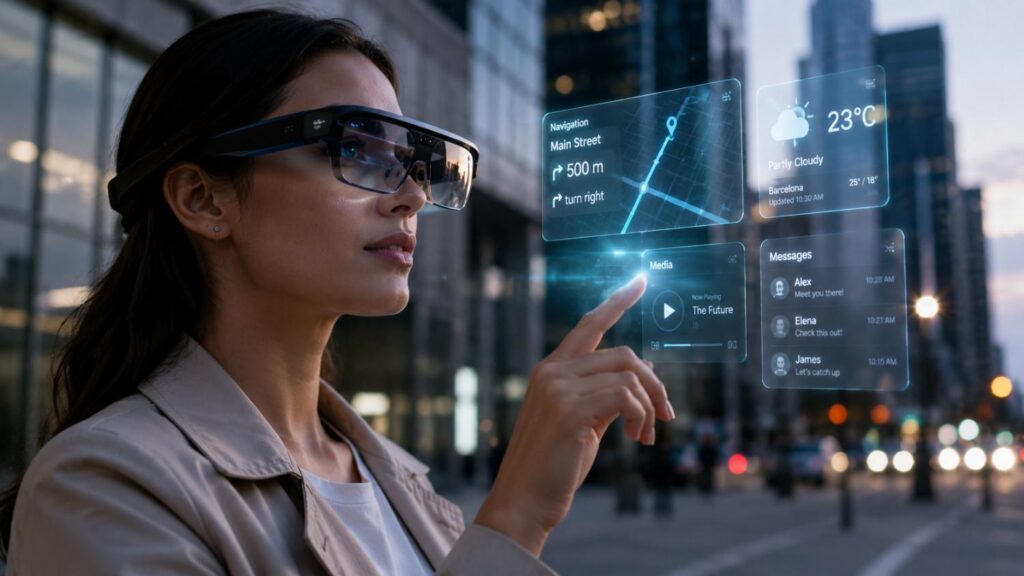
The Rise of AR Glasses: What You Need to Know
For years, augmented reality glasses represented one of the most ambitious ideas in consumer technology. The concept was simple: place useful digital information directly into a person’s view without requiring them to hold a phone or wear a bulky virtual reality headset. The engineering challenge was much harder. Manufacturers needed to combine processors, cameras, sensors, displays, batteries, connectivity, audio, prescription support, and attractive industrial design inside something comfortable enough to wear on a person’s face.
That technical balance is beginning to improve. The Rise of AR Glasses: What You Need to Know is now closely connected to the rise of multimodal artificial intelligence, more efficient wearable processors, better display optics, improved computer vision, and stronger software platforms. Meta, Google, Snap, XREAL, Samsung, Qualcomm, and eyewear companies are approaching the market from different directions, creating products that range from lightweight AI glasses to more immersive spatial computing devices.
The important point is that AR glasses are not suddenly replacing smartphones. Instead, they are emerging as a new interface for certain tasks that benefit from hands-free access, contextual information, and spatial interaction. To understand the opportunity clearly, consumers need to look beyond futuristic marketing and examine how the technology works, what current products can genuinely do, where they provide value, and which limitations still need to be solved.
What Are AR Glasses and How Do They Work?
AR glasses are wearable computing devices designed to add digital information or intelligent assistance while allowing the user to remain aware of the physical world. In the simplest implementations, the glasses may include cameras, microphones, speakers, wireless connectivity, and an AI assistant. More advanced designs add transparent or semi-transparent displays capable of placing visual information directly within the user’s line of sight.
The most sophisticated augmented reality glasses go further by attempting to understand physical space. They use cameras, inertial sensors, computer vision, and tracking systems to determine how the wearer’s head is moving and, in some cases, where surfaces or objects exist in the environment. This allows digital content to remain stable relative to the real world instead of moving like a simple overlay attached to the user’s face.
The overall experience depends heavily on how these components work together. Displays determine what the user can see, sensors provide movement and environmental information, processors handle graphics and artificial intelligence, and software decides when and how information should appear. The best systems make these layers feel almost invisible. Instead of thinking about cameras, chips, or waveguides, the user experiences a piece of information appearing in the right place at the right time.
Cameras, Sensors, AI, and Computer Vision
Cameras and sensors give AR glasses information about what is happening around the wearer and how the device is moving. Cameras can capture images or video, while inertial measurement components can track head orientation and motion. Advanced spatial systems combine these inputs so digital content can respond naturally when the wearer turns, walks, or interacts with objects in the environment.
Computer vision helps software interpret the visual information collected by the device. It may identify text, recognize categories of objects, understand parts of a room, or support hand tracking. Snap’s SPECS, for example, are designed around spatial AR experiences that use environmental understanding and hand-based interaction. These capabilities allow software to react to the physical environment instead of simply presenting a fixed display.
Artificial intelligence makes visual context more useful. Google’s upcoming Android XR eyewear uses Gemini so users can ask questions about what they see, obtain navigation assistance, translate information, communicate, and interact with connected apps. The combination of computer vision and multimodal AI can therefore turn glasses into a contextual assistant rather than merely a wearable screen.
| Technology Component | Role in AR Glasses | Key Technologies | Impact on User Experience |
|---|---|---|---|
| Cameras | Capture the user’s surroundings and visual context | Computer vision, image sensors | Enables visual AI, photography, translation, and environmental understanding |
| Sensors | Track movement, orientation, and interaction | IMU, motion sensors, spatial sensing | Supports stable digital content and responsive interactions |
| AI Processing | Interprets visual, audio, and contextual information | Multimodal AI, on-device AI, AI assistants | Enables contextual assistance, translation, object recognition, and voice interaction |
| Displays | Places digital information within the user’s view | Micro-OLED, LCoS, optical see-through displays | Determines image quality, brightness, field of view, and readability |
| Waveguide Optics | Directs projected light into the user’s eyes | Waveguides, optical combiners | Allows digital content to appear while maintaining visibility of the physical world |
| Audio System | Provides spoken information and AI responses | Speakers, microphones, spatial audio | Enables hands-free communication and assistant interaction |
| Connectivity | Connects glasses with phones, cloud services, and applications | Bluetooth, Wi-Fi, smartphone connectivity | Supports communication, cloud AI, navigation, and connected apps |
| Computing Platform | Runs applications and manages device functions | Snapdragon AR platforms, Android XR, proprietary processors | Influences performance, latency, battery use, and supported applications |
| Battery System | Supplies power to displays, sensors, cameras, and processors | Integrated battery, charging cases, external compute | Determines practical usage time and overall portability |
| Spatial Tracking | Understands the user’s position and surroundings | Hand tracking, environmental mapping, spatial computing | Enables interactive AR objects and more natural spatial interfaces |
Displays, Waveguides, and Spatial Images
The display system is one of the most difficult parts of augmented reality eyewear because digital images must reach the user’s eyes without blocking the surrounding world. Many optical see-through systems use compact displays combined with waveguides or related optical components that redirect generated light into the eye while allowing natural light from the environment to remain visible.
Designers must balance several competing requirements. A wider field of view can make spatial applications feel more natural, but larger optical systems may increase weight, power consumption, or manufacturing complexity. Brightness is essential for outdoor visibility, while image quality must remain high enough for text and detailed interfaces. At the same time, the glasses still need to look and feel acceptable during extended use.
Current products show different engineering approaches. Snap says its 2026 SPECS use a liquid-crystal-on-silicon system with a 51-degree field of view and a redesigned waveguide. XREAL says AURA uses a 70-degree optical see-through display while separating some computing into an external puck. Both designs illustrate how manufacturers balance optics, processing, weight, and battery constraints differently.
Related Articles
Why the Rise of AR Glasses Is Accelerating
The current growth of augmented reality eyewear is not the result of one single breakthrough. Instead, several parts of the technology stack have reached a point where they can support more useful consumer experiences. Processors are becoming more specialized, AI assistants are becoming better at understanding visual and spoken context, display technology is improving, and major operating-system providers are creating software platforms designed specifically for wearable spatial computing.
The broader smart glasses trend also reflects how advances in AI, sensors, and wearable computing are making glasses a more practical interface for everyday digital experiences.
Another important change is the diversity of the market. Earlier discussions about AR glasses often assumed that one device would eventually replace the smartphone. Today’s industry is taking a more practical approach. Lightweight AI glasses can focus on photography, voice interaction, and contextual assistance. Display glasses can provide notifications and navigation, while larger spatial systems can support productivity, entertainment, education, and interactive 3D applications.
This variety makes the category more resilient. AR glasses no longer need to solve every computing problem at once in order to be useful. A device can succeed by performing a few hands-free tasks extremely well. At the same time, more ambitious spatial platforms can continue developing separately. This multi-layered market is one reason the rise of AR glasses feels more credible now than during earlier cycles of wearable-computing hype.
AI Makes Glasses Useful Without a Huge Display
Multimodal artificial intelligence has changed the value proposition of smart eyewear because useful assistance no longer depends entirely on an advanced visual display. A pair of lightweight glasses with cameras, microphones, speakers, and an AI assistant can already help users capture photos, ask contextual questions, translate information, manage communication, identify objects, and receive spoken guidance.
Google’s Android XR strategy demonstrates this clearly. The company plans different categories of intelligent eyewear, including audio-focused glasses and display-equipped glasses. The audio products can still use Gemini for visual questions, navigation, translation, communication, capture, and interactions with connected applications even without a large visual interface.
This approach reduces pressure on manufacturers to fit a large, bright, wide-field display into every product. AI can deliver value through audio and contextual understanding while display technology continues improving. Meta’s evolution from camera-and-audio smart glasses toward Meta Ray-Ban Display follows a similar pattern. Manufacturers can gradually add visual capability rather than requiring consumers to accept heavier spatial hardware immediately.
Platforms and Developers Are Building an Ecosystem
AR hardware becomes significantly more useful when developers can build applications that take advantage of its sensors, displays, AI capabilities, and spatial interfaces. That is why platform development may be just as important as advances in eyewear hardware. Without a strong software ecosystem, even impressive glasses risk becoming limited-purpose accessories.
Google describes Android XR as a unified platform for headsets, glasses, and related extended-reality devices. Developers can use familiar Android tools and frameworks while building experiences designed for new wearable form factors. Google’s partnerships with Samsung and eyewear companies also show an effort to connect operating-system development with industrial design and consumer distribution.
Snap is building its own ecosystem around SPECS and Lens Studio, while Qualcomm is developing processor platforms and industry programs for smart eyewear manufacturers. Snap’s tools allow developers to create spatial applications that respond to real-world context, and Qualcomm’s Snapdragon initiatives support the hardware layer beneath future glasses. These combined investments suggest that AR is becoming an ecosystem of chips, operating systems, developer tools, brands, and applications rather than a collection of isolated hardware experiments.
What AR Glasses Can Do Today
AR glasses and related smart eyewear can already perform a surprisingly broad range of tasks, but capability depends strongly on the category of device. Lightweight AI glasses may prioritize photography, calls, music, and contextual assistance. Display glasses add visual information such as navigation or messages, while full spatial systems can support larger interactive applications, virtual workspaces, or digital objects placed within physical environments.
The most practical current uses tend to extend activities people already perform with smartphones. Directions, translation, messaging, reminders, photography, AI questions, and quick information become easier to access when the interface sits closer to the user’s natural field of attention. This can reduce how often a person needs to stop, unlock a phone, find an application, and shift focus away from what they are doing.
More immersive systems are exploring a second group of applications centered on spatial computing. These include virtual workspaces, gaming, training, education, collaboration, interactive entertainment, design, and contextual tools that understand the surrounding environment. The table below illustrates how several prominent products occupy different parts of the market as of August 2026. Specifications and availability should always be confirmed with official manufacturer information before purchase.
| Product / Platform | Type | Notable Capability | Status as of August 2026 | |||
|---|---|---|---|---|---|---|
| Meta Ray-Ban Display | Display AI glasses | In-lens information, Meta AI, navigation, messaging, translation | Available; starts at $799 | |||
| Google Android XR eyewear | AI/audio and display glasses | Gemini, navigation, communication, visual assistance | First audio glasses planned for fall 2026 | |||
| Snap SPECS | Standalone AR glasses | Spatial AR, hand tracking, AI, entertainment and work | Launch event scheduled for Sept. 16, 2026 | |||
| XREAL AURA | Spatial computing glasses | 70° optical see-through display, Android XR, Gemini | Planned for fall 2026 |
Navigation, Translation, and Everyday Assistance
Navigation is one of the most natural applications for display-equipped glasses because directions are more useful when they appear without forcing users to look down at a phone. Walking guidance can become more glanceable, particularly in unfamiliar areas where constantly switching between the environment and a handheld map can be distracting.
Translation is another strong use case. Wearable cameras and microphones can help software understand spoken or written language, while visual displays or audio can provide translated information in context. Meta Ray-Ban Display supports visual information related to translation and navigation, while Google’s Android XR eyewear strategy emphasizes visual questions, communication, navigation, and translation through Gemini.
These capabilities demonstrate why the smartphone may remain important even as glasses become more capable. The advantage is not necessarily replacing a phone but reducing unnecessary interaction with it. If a user can hear a translation, see a directional prompt, preview a message, or ask a quick question without reaching into a pocket, wearable computing can make familiar digital tasks less disruptive.
Work, Entertainment, and Spatial Computing
Spatial AR devices expand the concept of smart eyewear beyond notifications and personal assistance. By understanding the user’s surroundings and displaying larger digital interfaces, these systems can support applications that behave more like portable workspaces, interactive training tools, or entertainment environments than traditional wearable accessories.
Snap positions SPECS as a platform for spatial work, entertainment, AI assistance, shared experiences, and interactive applications. The device is designed to support hand interaction and environmental understanding, allowing users to engage with digital content through physical space instead of relying entirely on a touchscreen or handheld controller.
XREAL AURA represents another approach. The glasses use an optical see-through display and Android XR, with external compute helping support the experience. XREAL’s broader product range also demonstrates demand for wearable displays connected to computers, game systems, and media devices. This means AR’s growth may come from several practical areas—portable productivity, gaming, entertainment, visualization, and spatial applications—rather than from one universal smartphone replacement.
What Are the Biggest Benefits of AR Glasses?
The central benefit of AR glasses is that digital information can become available without demanding the same level of physical attention as a phone, tablet, or laptop. Instead of stopping an activity to pick up another device, users may be able to receive audio guidance, view a notification, access navigation, capture a photo, translate information, or interact with an assistant while keeping their hands available.
Context is another major advantage. A traditional digital assistant often requires the user to describe what they are looking at or manually provide information. Camera-equipped glasses can potentially give an AI assistant visual context, allowing it to respond to the surrounding environment. When combined with voice input and personal data that the user has explicitly permitted, this creates a more immediate form of contextual computing.
The shift toward heads-up computing is also significant because AR glasses can keep information accessible while allowing users to remain engaged with their surroundings.
Spatial displays add a third layer of potential value. They can organize information around the user rather than forcing every application into the boundaries of a handheld rectangular screen. This could make certain activities—such as training, visualization, maintenance, design, navigation, and collaborative work—more intuitive. The real benefit, however, depends on software design. AR is most valuable when the interface improves the task rather than simply making ordinary information appear more futuristic.
| Area | Potential Benefit | Current Limitation | Practical Consideration |
|---|---|---|---|
| Hands-Free Computing | Access information without repeatedly using a smartphone | Voice and gesture controls may not suit every situation | Most valuable for navigation, communication, and quick assistance |
| AI Assistance | Provides contextual help based on voice, images, and surroundings | AI accuracy and privacy depend on software and data processing | Review AI capabilities and privacy controls before purchase |
| Navigation | Directions can be accessed while keeping attention on the environment | Display field of view and visibility can affect usability | Consider display brightness and outdoor readability |
| Translation | Supports real-time speech or text translation | Language coverage and translation quality vary | Check supported languages and translation features |
| Productivity | Can provide glanceable information and spatial workspaces | More advanced systems can increase weight and power consumption | Match the device to the type of work you actually perform |
| Entertainment | Provides portable displays and immersive spatial experiences | Battery life and display limitations can restrict long sessions | Compare display quality, field of view, and comfort |
| Portability | Glasses are generally more natural to carry than large headsets | Advanced AR hardware can still be relatively heavy | Consider weight, charging requirements, and carrying case size |
| Prescription Support | Some products can accommodate corrective lenses | Compatibility varies by product and lens type | Verify prescription availability before purchasing |
| Privacy | User-controlled cameras and AI can provide useful contextual features | Cameras and microphones can raise bystander concerns | Look for recording indicators, controls, and transparent privacy policies |
| Battery Life | Charging cases or external compute can extend practical use | Small wearable batteries limit continuous operation | Compare mixed-use battery estimates rather than standby claims |
| Spatial Computing | Digital content can interact with the physical environment | Requires sophisticated optics, sensors, and software | Evaluate available applications before prioritizing advanced AR features |
Hands-Free, Context-Aware Computing
Hands-free computing can be valuable whenever users are moving, carrying something, performing a task, or simply trying to remain engaged with their surroundings. Smartphones provide enormous computing power, but accessing that power often requires looking down, holding a device, opening an application, and directing attention toward a separate screen.
Smart glasses can reduce those interruptions. Directions can be delivered while walking, messages can be checked quickly, photos can be captured from the wearer’s viewpoint, and AI assistance can be accessed through voice. Google’s Gemini-powered eyewear examples are explicitly designed around this heads-up, hands-free model, giving users access to information while keeping their attention closer to the physical world.
Context makes the model even more powerful. When the user grants appropriate permissions, AI can potentially respond to what the glasses see rather than requiring the wearer to explain every detail. That creates opportunities for translation, identification, reminders, guidance, and assistance that feel more closely connected to the user’s immediate situation.
A More Natural Form of Spatial Computing
Traditional digital interfaces are largely organized around flat screens. Windows, applications, documents, videos, and controls all compete for space inside a rectangle. Spatial computing changes this model by allowing digital objects and interfaces to occupy positions relative to the user’s physical environment.
AR glasses can make this interaction more natural because users continue seeing the surrounding world. Instead of entering a fully virtual environment, they can view digital information layered into real space. Snap SPECS are designed around this concept, using see-through lenses, hand interaction, and spatial understanding rather than presenting computing solely as a collection of flat panels.
The potential extends well beyond entertainment. Spatial interfaces could help technicians view instructions near machinery, students explore visual models, designers inspect 3D objects, or remote collaborators reference the same virtual content. However, spatial computing only improves productivity when the interface respects attention, ergonomics, and context. Poorly designed overlays can create distraction, which means software quality remains as important as optical capability.
What Challenges Are Still Holding AR Glasses Back?
AR glasses are improving quickly, but significant engineering and social challenges still limit wider adoption. Consumers expect ordinary eyewear to be light, comfortable, durable, stylish, and suitable for extended use. Advanced AR hardware needs processors, displays, batteries, cameras, sensors, wireless radios, speakers, and thermal management. Fitting all of those components into a comfortable frame remains difficult.
These trade-offs explain why different products emphasize different capabilities. Lightweight AI glasses may avoid large displays in order to improve comfort and battery life. Display-equipped glasses may limit field of view or graphical complexity, while full spatial AR devices may weigh more or use external compute systems to support richer experiences.
Privacy and social acceptance introduce an entirely different challenge. Cameras and microphones located on the face can make people nearby uncertain about when they are being recorded or analyzed. Manufacturers therefore need to consider visible indicators, user controls, data handling, processing architecture, and clear communication. The technology may become capable of sophisticated environmental understanding before social norms around continuous wearable sensing are fully established. Responsible design will be critical if AR glasses are to become common everyday devices rather than niche technical products.
Battery Life, Weight, Heat, and Display Quality
Battery life is one of the most persistent limitations of wearable computing because glasses provide far less physical space for battery cells than smartphones or headsets. Advanced displays, cameras, wireless communication, AI processing, and spatial tracking all require energy, creating a constant trade-off between capability and operating time.
Current products demonstrate this balance clearly. Snap states that its standalone SPECS provide up to four hours of mixed use, with additional charging available through the case. Meta says Ray-Ban Display provides up to six hours of mixed use, also supported by a charging case. Those figures show why battery management remains a central design problem for devices intended to be worn throughout the day.
Weight and heat are connected concerns. Snap lists the smaller SPECS model at 132 grams, substantially heavier than conventional eyewear. One strategy is distributed computing: some systems move processing to a smartphone, external puck, or host device. Qualcomm’s Snapdragon AR2 platform is designed around distributed processing, illustrating how hardware makers can reduce some of the workload carried directly on the face.
Privacy and Social Acceptance
Privacy is a unique challenge for smart eyewear because cameras and microphones are positioned at approximately the wearer’s point of view. Unlike a phone held visibly for photography, glasses may not always make it obvious whether a camera is active, whether audio is being processed, or whether an AI system is analyzing what the wearer sees.
Manufacturers therefore need to build transparency into the product experience. Recording indicators, permission controls, clear privacy settings, local processing where appropriate, and understandable policies can help both wearers and people nearby understand how the device operates. Google has specifically discussed testing Android XR glasses with attention to the privacy of both users and people around them.
Social acceptance may ultimately depend as much on behavior and design as on technical safeguards. People need confidence that wearable cameras are not silently recording them in sensitive environments. Businesses, schools, healthcare settings, and public venues may also develop their own policies. AR glasses can only become mainstream if users consider them socially trustworthy as well as technically useful.
How to Choose AR Glasses as the Market Expands
Choosing AR glasses requires more thought than comparing specifications because products in this market often serve completely different purposes. A lightweight pair of screen-free AI glasses may be ideal for calls, photography, and contextual assistance, while a display-equipped pair may be better for navigation and notifications. Spatial glasses, meanwhile, may prioritize virtual workspaces, interactive applications, or immersive entertainment.
The first step is therefore understanding what problem you want the device to solve. If the main goal is hands-free AI assistance, paying for a wide spatial display may add cost and weight without improving the experience. If the goal is viewing large virtual screens or interactive AR objects, lightweight audio-only glasses may not provide enough functionality.
Practical considerations should come next. Battery life, weight, field of view, brightness, prescription support, smartphone dependence, app availability, privacy settings, charging requirements, and long-term platform support can matter more than impressive demonstrations. I recommend evaluating whether the glasses improve a task you already perform regularly. A feature that saves time every day is generally more valuable than a visually impressive capability that you rarely use.
Step 1 — Decide Which Category You Need
Begin by identifying whether you need AI smart glasses, display glasses, or full spatial AR. AI glasses are typically the lightest option and focus on cameras, audio, communication, photography, and contextual assistance. They are suitable for people who want hands-free features without a persistent visual interface.
Display-equipped glasses add visible information such as navigation, messages, translation, or AI responses. Meta Ray-Ban Display represents this middle category by combining familiar-looking eyewear with an in-lens display. Buyers who want glanceable information without moving into a heavier spatial-computing design may find this type of product more practical.
Full spatial AR systems are designed for richer applications. Snap SPECS and XREAL AURA focus more strongly on spatial interaction and see-through digital content. Prescription compatibility should also be evaluated early if you normally wear corrective lenses. Meta, Snap, and XREAL have each discussed prescription options or solutions for their respective eyewear, making this a practical purchase consideration rather than a minor accessory detail.
Step 2 — Compare the Practical Details
Once you know the category you need, compare the specifications that directly affect daily use. Weight determines comfort, battery life determines how long the device can remain useful between charges, and field of view affects how much digital content can appear naturally within the wearer’s vision. Brightness and optical quality are especially important for outdoor use.
The computing architecture also matters. Some glasses rely heavily on a smartphone, while others include more processing on the device or connect to a dedicated external compute module. Snap SPECS are designed as standalone AR glasses, while XREAL AURA uses an external compute puck. These choices affect portability, heat, battery life, processing power, and the amount of hardware the user needs to carry.
Finally, verify actual availability and software support. Announced products can change before launch, and early hardware may have a limited application ecosystem. As of August 2026, Meta Ray-Ban Display is commercially available, while Snap SPECS, Google’s new Android XR eyewear, and XREAL AURA are connected to later-2026 releases. Always confirm the current product page before purchasing.
Quick Answer About The Rise of AR Glasses: What You Need to Know
The rise of AR glasses is being driven by a combination of smaller wearable processors, more capable artificial intelligence, improved optical displays, and stronger developer ecosystems. Unlike older augmented reality prototypes, modern smart eyewear is beginning to offer practical features such as hands-free AI assistance, navigation, translation, messaging, photography, notifications, and spatial applications while maintaining a form factor closer to ordinary glasses. The category now ranges from screen-free AI eyewear to display glasses and fully spatial augmented reality systems.
The market is also becoming more credible because several major technology companies are investing in different parts of the ecosystem. Meta already offers display-equipped AI eyewear, while Google is developing Android XR glasses with Gemini integration. Snap is preparing consumer-focused SPECS, and XREAL is developing Android XR-powered spatial computing eyewear. These approaches show that AR glasses are becoming a broader computing category rather than a single experimental product concept.
However, the technology still involves important trade-offs. Battery life, weight, field of view, heat, prescription support, privacy, social acceptance, software quality, and price all affect whether a pair of augmented reality glasses is suitable for daily use. Buyers should therefore compare practical capabilities rather than choosing a device simply because it is marketed as “AR.” (about.fb.com)
Why Are AR Glasses Getting So Much Attention?
AR glasses are receiving increased attention because several technologies that were previously developing separately are now beginning to work together. Purpose-built wearable processors can handle cameras, audio, wireless connectivity, artificial intelligence, and display functions while using less space and power than older general-purpose hardware. Qualcomm’s Snapdragon AR1 platform, for example, was designed specifically for smart glasses and supports AI processing, imaging, connectivity, and display-related capabilities. (qualcomm.com)
Artificial intelligence makes this hardware substantially more useful. A pair of camera-equipped glasses can provide an AI assistant with visual context about the wearer’s surroundings. Google’s Android XR eyewear strategy uses Gemini to support functions such as understanding visible objects, reading signs, helping with navigation, translating information, communicating, and interacting with connected applications. (blog.google)
The result is a product category with more everyday applications than earlier augmented reality systems. Some glasses emphasize photography and hands-free assistance, others provide glanceable digital information, and advanced systems focus on spatial interfaces. This variety gives manufacturers more opportunities to solve real problems instead of depending on one futuristic use case.
Are All Smart Glasses Really AR Glasses?
Not all smart glasses should be described as true augmented reality glasses. The term “smart glasses” can include eyewear with cameras, microphones, speakers, wireless connectivity, or AI assistants even when no digital image is projected into the wearer’s field of view. These products may still be useful, but technically they provide a different experience from optical see-through AR.
Display-equipped AI glasses sit between basic smart eyewear and full spatial AR. Meta Ray-Ban Display, for example, adds an in-lens display for notifications, navigation, translations, messages, Meta AI responses, and photo previews. The information appears within the wearer’s view, but the product is designed around glanceable assistance rather than creating a wide spatial canvas filled with interactive 3D objects. (about.fb.com)
At the more immersive end of the category, devices such as Snap SPECS and XREAL AURA are designed around spatial computing. These systems aim to understand the environment, anchor digital content within physical space, and support richer interaction. Understanding these categories prevents buyers from comparing products that solve fundamentally different problems
Frequently Asked Questions About The Rise of AR Glasses: What You Need to Know
Interest in The Rise of AR Glasses: What You Need to Know has increased as the category has moved beyond experimental prototypes and into several distinct consumer product segments. Buyers now encounter AI glasses without displays, smart glasses with small visual interfaces, wearable displays, and full spatial augmented reality systems. Understanding the differences between these categories is essential because products that look similar can provide very different experiences.
The questions consumers ask most often usually focus on how AR glasses work, what they can do, whether they require a smartphone, whether they can replace existing devices, and what limitations remain. These are practical questions because wearable technology must fit comfortably into everyday life rather than simply performing well in controlled demonstrations.
The answers below provide a clear overview of the most common AR-glasses questions while keeping the distinction between current capabilities and future potential in mind. The category is evolving quickly, so specific product features and availability should always be confirmed using the manufacturer’s most recent documentation.
What Are AR Glasses?
AR glasses are wearable computing devices that allow the user to continue seeing the physical world while adding digital capabilities. Depending on the product, those capabilities may include AI assistance, photography, audio, notifications, translation, navigation, or visual information displayed directly within the wearer’s field of view.
More advanced augmented reality glasses use transparent optical systems and spatial tracking to place digital content within physical surroundings. Instead of behaving like a simple screen floating in front of the eyes, the system can attempt to keep virtual objects positioned relative to real-world locations as the user moves.
Not every pair of smart glasses provides this level of augmented reality. Camera-and-audio glasses without a display can still be highly intelligent, but they are better described as AI smart glasses. Understanding whether a product offers audio assistance, a basic display, or full spatial AR is one of the most important steps when comparing devices.
How Do Augmented Reality Glasses Work?
Augmented reality glasses combine several technologies inside a wearable form factor. Cameras and sensors collect information about the environment and the wearer’s motion, processors interpret that information, and software determines what digital content should be presented. More advanced systems also use computer vision to understand surfaces, objects, hands, or other spatial features.
Visual AR glasses require an optical display that can place digital imagery in the wearer’s view while still allowing light from the surrounding world to reach the eyes. Waveguides or related optical components are commonly used to direct light from compact displays toward the wearer.
Artificial intelligence increasingly adds contextual understanding. Instead of only rendering graphics, modern glasses may also interpret what the wearer sees or hears and provide relevant assistance. This combination of optics, sensing, spatial tracking, AI, and software is what turns wearable displays into more capable augmented reality systems.
What Can AR Glasses Be Used For?
AR glasses can support a wide range of applications depending on their hardware. Lightweight AI glasses may handle photography, calls, music, translation, contextual questions, and voice assistance. Display glasses can add navigation prompts, messages, captions, visual translations, and other information that would normally appear on a phone.
More advanced spatial systems can support virtual workspaces, education, visualization, entertainment, gaming, remote assistance, interactive design, training, and applications that place digital content into physical environments. Snap SPECS and XREAL AURA illustrate this more spatially focused direction, while Meta and Google’s eyewear strategies include more everyday assistance features.
The most successful use cases are likely to be those where hands-free access or environmental context creates a clear advantage. AR is less useful when a conventional screen already provides a simpler, more comfortable experience.
Do AR Glasses Need a Smartphone?
Some AR glasses depend heavily on a smartphone, while others are designed to operate more independently. Lightweight smart glasses often use a phone for networking, application management, AI processing, or account connectivity because moving these tasks off the glasses can reduce weight, heat, and battery consumption.
Google’s upcoming audio-focused Android XR glasses are designed to pair with Android or iOS phones. In contrast, Snap describes SPECS as standalone augmented reality glasses that contain the computing necessary for their primary spatial experiences. XREAL AURA uses another architecture in which the glasses connect to an external compute puck.
There is no single correct architecture. Smartphone-dependent designs can keep eyewear lighter, while standalone systems provide more independence. Buyers should check exactly which functions work without a host device because the answer can affect portability, battery life, performance, and everyday convenience.
Can AR Glasses Replace Smartphones?
For most people, current AR glasses are better viewed as complementary devices rather than complete smartphone replacements. Smartphones still provide large high-resolution displays, mature application ecosystems, comfortable text input, long battery capacity, secure payment systems, cameras, and broad support for almost every digital service people use daily.
Glasses offer different strengths. They can provide hands-free access, contextual AI, navigation, photography, translation, notifications, and spatial interfaces without requiring the user to hold a device. These tasks can reduce the number of times a person needs to reach for a phone, but they do not yet eliminate the phone’s broader role.
Over time, AR glasses may absorb more smartphone functions as displays, batteries, input systems, AI, and application ecosystems improve. However, replacement is not necessary for the category to succeed. A wearable that meaningfully reduces smartphone interaction can still create substantial value even if the phone remains an important companion device.
What Are the Main Disadvantages of AR Glasses?
The main disadvantages of AR glasses come from the challenge of fitting advanced computing into something worn on the face. Battery capacity is limited, while displays, cameras, sensors, wireless communication, and AI processing consume power. More advanced spatial devices can therefore require frequent charging or external compute systems.
Weight, heat, and optical limitations also affect comfort. A wider field of view and more powerful graphics can require larger or more complex hardware. Manufacturers must continually trade off display quality, battery life, processing power, and appearance. Prescription support can add another layer of complexity for users who require corrective lenses.
Privacy and social acceptance are equally important. Cameras and microphones can make people nearby uncomfortable when it is unclear whether recording or AI analysis is active. Strong privacy controls, visible indicators, responsible data processing, and clear social norms will be essential for mainstream adoption.
Are Consumer AR Glasses Available Now?
Yes, although the capabilities of available products vary substantially. Some smart glasses currently on the market focus primarily on AI assistance, photography, calls, and audio. Meta Ray-Ban Display adds an in-lens visual interface and is already available as a more display-oriented form of intelligent eyewear.
More advanced spatial AR products continue moving toward consumer release. Snap has scheduled a September 16, 2026 launch event for SPECS, which the company describes as standalone see-through augmented reality glasses. XREAL AURA is also targeting later 2026 and is designed around Android XR spatial computing.
Google’s new intelligent-eyewear roadmap also includes audio and display glasses tied to Android XR and Gemini. Buyers should therefore distinguish between products available for purchase now, products announced with confirmed launch plans, and concepts that remain in development.
Conclusion
The Rise of AR Glasses: What You Need to Know reflects a wider change in wearable computing. Improvements in multimodal AI, computer vision, purpose-built processors, waveguide optics, spatial tracking, developer platforms, and industrial design are allowing manufacturers to create glasses that provide meaningful digital assistance without requiring users to disappear into a fully virtual environment.
The category is also becoming easier to understand. Screen-free AI glasses emphasize photography, audio, and contextual assistance. Display-equipped glasses add glanceable information such as navigation, translation, and notifications. Full spatial AR devices aim to position interactive digital content throughout the wearer’s physical surroundings. Meta, Google, Snap, XREAL, Qualcomm, Samsung, and eyewear companies are developing different approaches within these categories.
The challenges remain significant. Battery life, weight, heat, optics, privacy, social acceptance, prescription support, software ecosystems, and cost will determine how quickly AR glasses move from enthusiast products to everyday technology. Consumers should therefore focus on practical value rather than novelty. The best pair of AR glasses will be the one that reliably improves tasks you already perform while remaining comfortable, trustworthy, and supported over time.