
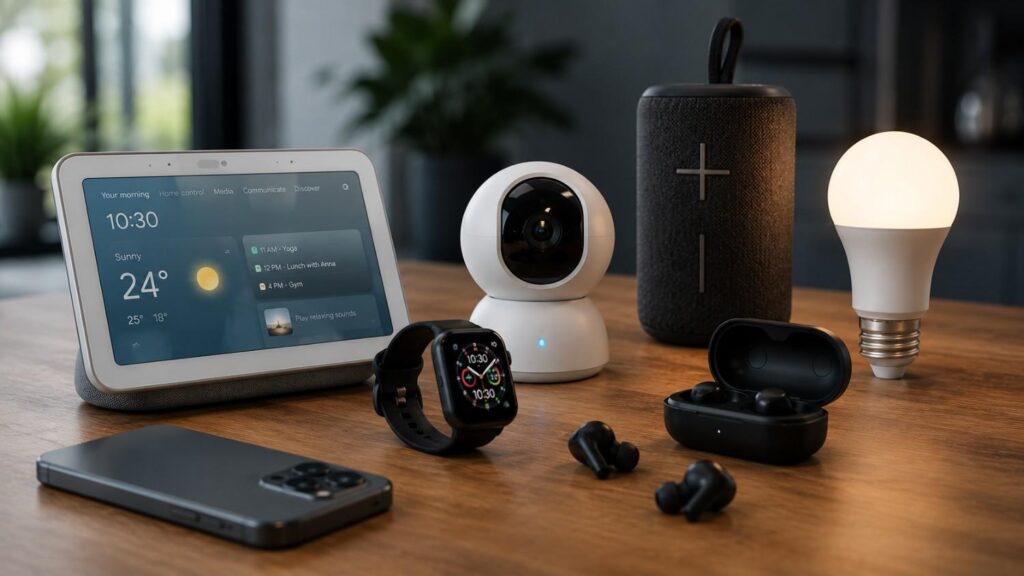
Top 5 Smart Gadgets for Everyday Use: A Practical Guide
Smart gadgets are now part of normal daily life. They are no longer limited to luxury homes, advanced offices, or people who love technology. Today, many everyday smart devices are simple, useful, and easy enough for beginners to set up. The real purpose of smart technology is not to make life complicated. It should help you save time, reduce small daily tasks, improve comfort, and make your routine more organized.
When people search for the Top 5 Smart Gadgets for Everyday Use, they usually want practical recommendations. They do not want a random list of expensive devices. They want to know which gadgets actually make daily life easier. In my experience, the best smart gadgets are the ones you continue using after the first week. They fit naturally into your routine and solve a real problem.
This guide explains five useful smart gadgets for daily life: smart speakers or smart displays, smartwatches or fitness trackers, smart plugs with smart lighting, robot vacuums, and Bluetooth trackers. Each section explains what the gadget does, how it helps, who should use it, and what to check before buying.
Why Smart Gadgets Matter in Daily Life
Smart gadgets matter because they turn small daily tasks into easier, faster, and more convenient actions. Most people do not need a fully automated home on day one. They simply need devices that help them remember tasks, control appliances, track activity, clean more easily, or find lost items. This is where everyday smart devices become valuable. They support your routine without demanding too much technical knowledge.
A good smart gadget should provide practical value. For example, a smart speaker can set reminders while your hands are busy. A smartwatch can help you track activity without opening your phone. A smart plug can turn a regular lamp into a scheduled device. A robot vacuum can keep floors cleaner between deep cleaning sessions. A Bluetooth tracker can save time when you misplace your keys or wallet.
The best smart gadgets also work well together. Many devices now connect through smart home ecosystems such as Google Home, Apple Home, Amazon Alexa, or Samsung SmartThings. Matter, a smart home connectivity standard from the Connectivity Standards Alliance, is designed to improve interoperability between connected devices and ecosystems. This matters because compatibility is one of the biggest concerns when building a smart home.
What Does a Smart Gadget Really Mean?
A smart gadget is a device that connects to an app, voice assistant, sensor, schedule, or automation system. Unlike a traditional device, it can usually be controlled remotely or programmed to perform certain actions. For example, a regular plug only provides power, but a smart plug can turn a device on or off through a mobile app or schedule. A regular watch tells time, but a smartwatch can track activity, send alerts, and connect with apps.
Smart gadgets are often connected through Wi-Fi, Bluetooth, Thread, Zigbee, or another wireless technology. Some work independently, while others perform better inside a larger smart home ecosystem. This is why device compatibility is important before buying. If you use an iPhone, Apple Home and Apple Watch may feel more natural. If you use Android, Google Home, Samsung SmartThings, or Wear OS devices may be better options.
The key point is simple: a smart gadget should make a task easier. It should not create more work. Before buying any smart device, ask yourself what problem it solves. If the answer is clear, the gadget is more likely to become part of your daily routine.
Why Are Everyday Smart Devices Becoming Popular?
Everyday smart devices are becoming popular because people want convenience without complexity. Modern routines are busy, and even small improvements can make a noticeable difference. A timer set by voice command, a light that turns on automatically, or a robot vacuum that cleans while you work can reduce mental load. These are not dramatic changes, but they create daily comfort.
Another reason is accessibility. Many useful smart gadgets are now easier to install than older connected devices. A beginner can often set up a smart plug, smart speaker, or Bluetooth tracker in a few minutes using an official app. Smartwatches and fitness trackers have also become common because they combine time, notifications, activity tracking, and health-related insights in one wearable device.
Smart home gadgets are also becoming more flexible. Standards like Matter aim to reduce the frustration of devices that only work with one platform. This gives users more confidence when buying connected products. As long as people choose reliable brands, update their apps, and review privacy settings, smart gadgets can become a practical part of daily life.
Gadget 1: Smart Speaker or Smart Display
A smart speaker or smart display is one of the best starting points for anyone exploring the Top 5 Smart Gadgets for Everyday Use. It works as a central helper for reminders, timers, music, home control, quick questions, and daily routines. Instead of opening your phone for every small task, you can use your voice or a screen to complete simple actions faster.
Smart speakers are useful in bedrooms, kitchens, living rooms, and home offices. In the kitchen, they can help with timers, recipes, shopping lists, and music. In the bedroom, they can support alarms, routines, weather updates, and relaxation sounds. In a home office, they can help with reminders and schedule checks. Smart displays add a screen, making them useful for video calls, visual reminders, smart camera feeds, and step-by-step information.
Google’s Nest Hub smart displays, for example, are presented as home hubs that can control compatible smart devices, provide entertainment, and support home coordination through touch or voice. This shows why a smart speaker or display is more than a music device. It can become the daily control point for other smart home gadgets.
What Does a Smart Speaker or Display Do Every Day?
A smart speaker or smart display helps with daily tasks that often feel small but repetitive. You can ask it to set a timer, play music, check the weather, add items to a list, control lights, or remind you about something important. This hands-free experience is especially useful when cooking, cleaning, working, or getting ready in the morning.
A smart display adds visual support. For example, it can show recipe steps, calendar events, video content, smart camera feeds, or device controls. This makes it useful for people who prefer seeing information instead of only hearing it. Google describes the Nest Hub as a device that can control compatible smart devices with a tap or voice command while also supporting entertainment features.
The biggest benefit is routine building. You can create morning or evening routines where several actions happen together. For example, one command can turn on lights, read the weather, and start music. This type of automation is why smart speakers and displays remain some of the best smart gadgets for daily life.
What Should You Check Before Buying One?
Before buying a smart speaker or smart display, check your ecosystem first. If you already use Google services, Google Home devices may feel more natural. If you use Amazon services, Alexa-enabled devices may fit better. If your home is built around iPhone, iPad, and Apple services, Apple Home may be the better direction. Ecosystem choice matters because it affects device control, app setup, routines, and long-term compatibility.
You should also check privacy controls. Smart speakers include microphones, and smart displays may include cameras depending on the model. Look for physical mute buttons, camera covers, clear privacy settings, and easy account controls. Also review speaker quality, screen size, supported apps, Wi-Fi requirements, and Matter compatibility.
One thing I always recommend is starting with one room. Place the smart speaker or display where it will be used daily, such as the kitchen or bedroom. After you understand how it fits your routine, you can decide whether to connect lights, plugs, cameras, or other smart home gadgets.
Gadget 2: Smartwatch or Fitness Tracker
A smartwatch or fitness tracker is one of the most personal smart gadgets because it stays with you throughout the day. Unlike a smart speaker that sits in one room, a wearable device moves with you. It helps you track activity, receive alerts, manage time, monitor workouts, and reduce unnecessary phone checking. For many people, this makes it one of the most useful smart gadgets for daily life.
Smartwatches are especially helpful for people who want better routine awareness. They can remind you to stand, track exercise, monitor sleep trends, show notifications, and support quick actions from the wrist. Fitness trackers focus more on steps, workouts, sleep, heart rate trends, and battery life. The right choice depends on whether you want a full smart device or a simpler activity-focused wearable.
Apple explains that the Activity app on Apple Watch tracks daily movement, standing frequency, and exercise minutes. That kind of daily feedback can help users stay more aware of their habits. However, it is important to treat wearable data as supportive information, not as a replacement for medical advice.
How Can a Smartwatch Improve Daily Routine?
A smartwatch improves daily routine by making important information easier to access. Instead of checking your phone every few minutes, you can glance at your wrist for calls, messages, reminders, alarms, timers, and calendar alerts. This can reduce distraction, especially during work, exercise, driving breaks, or meetings.
For fitness, a smartwatch or fitness tracker can encourage consistency. It may track steps, workouts, standing time, sleep patterns, and general activity levels. Apple’s Activity app, for example, focuses on movement, exercise, and standing goals through daily activity rings. This structure helps users see progress clearly throughout the day.
Smartwatches are also useful for small productivity tasks. You can start a timer, check the time, reject a call, control music, or receive navigation prompts from your wrist. These features may seem simple, but they become valuable because they are available instantly. For busy users, a smartwatch can act as a small personal assistant.
What Should You Check Before Buying a Smartwatch?
The most important thing to check is phone compatibility. Apple Watch is designed for iPhone users. Android users usually look at Samsung Galaxy Watch, Fitbit, Garmin, or Wear OS options depending on their needs. Buying a smartwatch without checking compatibility can lead to missing features, limited app support, or poor syncing.
Next, consider battery life. Some smartwatches need daily charging, while fitness trackers may last longer. Also review comfort, display size, workout modes, water resistance, app support, notification controls, and health-related features. If you care about sleep tracking, choose a device comfortable enough to wear overnight.
Privacy is also important. Wearables can collect sensitive information such as activity, heart rate, location, and sleep patterns. Review the official privacy settings and app permissions before connecting everything. In my experience, the best smartwatch is not always the one with the most features. It is the one that fits your phone, your wrist, your lifestyle, and your comfort level.
Gadget 3: Smart Plug and Smart Lighting
Smart plugs and smart lighting are simple but powerful smart home gadgets. They are often the easiest way to begin home automation because they do not require advanced installation. A smart plug can turn a regular appliance or lamp into a connected device. Smart lighting can help you control brightness, schedules, scenes, and routines from an app or voice assistant.
These gadgets are practical because they work with everyday habits. You can schedule a lamp to turn on before sunset, turn off a fan from your phone, or create a night routine where lights dim automatically. For beginners, this is easier than installing complex smart systems. You can start with one plug or one bulb and expand only when needed.
The TP-Link Tapo P110 smart plug, for example, supports real-time power consumption monitoring, scheduling, timers, app control, and voice control with supported assistants. This shows how a small device can add useful control to ordinary appliances. Smart plugs and lights are also among the most affordable smart gadgets for everyday use, although exact prices vary by market and model.
Why Are Smart Plugs Useful for Beginners?
Smart plugs are useful for beginners because they are easy to understand. You plug the smart plug into a wall outlet, connect your appliance to it, set it up in the official app, and then control the connected device from your phone or voice assistant. There is no major wiring required for most plug-in use cases.
A smart plug is ideal for lamps, fans, decorative lights, chargers, and small appliances that are safe to control remotely. Scheduling is one of its strongest features. You can set a lamp to turn on at night, turn off a device after a certain time, or create a routine for daily use. Some smart plugs also include energy monitoring, which helps users understand how much power a connected appliance uses.
However, safety matters. Do not use smart plugs with appliances that require supervision or exceed the plug’s rated capacity. Always follow the manufacturer’s instructions. A smart plug is simple, but it still controls electricity. Used correctly, it is one of the most practical everyday smart devices for beginners.
How Does Smart Lighting Make Daily Life Easier?
Smart lighting makes daily life easier by giving you flexible control over brightness, timing, and atmosphere. Instead of using only wall switches, you can control lights through an app, schedule, voice command, or automation. This is useful in bedrooms, living rooms, offices, hallways, and outdoor areas.
Smart lighting can support different routines. In the morning, lights can gradually brighten to help you wake up. During work, bright white lighting can support focus. In the evening, warmer dim lighting can create a more relaxed environment. For security, lights can be scheduled to turn on when you are away, making the home look occupied.
The most important setup advice is to start small. Choose one room and one use case. For example, begin with a bedroom lamp or living room light. Once you understand how the app, schedule, and voice assistant work, you can expand to more rooms. This approach avoids confusion and keeps smart home automation practical.
Gadget 4: Robot Vacuum
A robot vacuum is one of the best smart gadgets for people who want cleaner floors with less daily effort. It does not remove the need for deep cleaning, but it can reduce dust, crumbs, pet hair, and surface dirt between manual cleaning sessions. For busy households, apartments, pet owners, and people with tight schedules, this can make a noticeable difference.
Robot vacuums are more advanced than they used to be. Many models now support app control, room mapping, cleaning schedules, automatic docking, and in some cases mopping. iRobot says its Home App can support mapping and cleaning control, with some Roomba models able to create a home map quickly so users can clean specific spaces when needed.
The value of a robot vacuum depends on your floor type, furniture layout, room size, and expectations. It works best as a maintenance tool. If your home has open floor space, hard flooring, low-pile carpets, or frequent dust, a robot vacuum can be very helpful. If your home has many cables, cluttered floors, or thick rugs, you may need more preparation before each cleaning cycle.
What Does a Robot Vacuum Handle Best?
A robot vacuum handles routine floor maintenance best. It is useful for dust, crumbs, pet hair, and everyday dirt that builds up between deeper cleaning sessions. If you schedule it regularly, the floor can stay cleaner with less manual effort. This is especially helpful in high-traffic areas such as living rooms, kitchens, hallways, and bedrooms.
Many robot vacuums use sensors, mapping, and app controls to move through rooms more intelligently than older random-cleaning models. Some can clean selected rooms, avoid certain zones, and return to their dock when cleaning is complete or the battery is low. The iRobot Home App, for example, supports cleaning control and troubleshooting guidance for Roomba users.
However, a robot vacuum is not perfect. It may struggle with tangled cords, small toys, wet messes, stairs, or very cluttered rooms. It should be seen as a daily helper, not a complete replacement for manual cleaning. For best results, clear the floor before scheduled cleaning and maintain the brushes, filters, and dustbin.
What Should You Know Before Buying One?
Before buying a robot vacuum, check your home layout. A small apartment may only need a basic model with scheduling and decent suction. A larger home may benefit from mapping, room selection, stronger battery life, and auto-empty features. Homes with pets may need stronger suction, anti-tangle brush design, and easily washable parts.
You should also compare maintenance needs. Robot vacuums require regular cleaning. Dustbins must be emptied, brushes may need hair removal, filters need replacement, and sensors should stay clean. Replacement part availability is important because filters, brushes, mop pads, and batteries wear out over time.
Also consider privacy and mapping. Some robot vacuums create digital maps of your home. Review the brand’s app settings, data policies, and account security options. A robot vacuum can be one of the Top 5 Smart Gadgets for Everyday Use, but only when it matches your home environment and cleaning expectations.
Gadget 5: Bluetooth Tracker or Item Finder
A Bluetooth tracker, also called an item finder, is a small smart gadget that helps you locate personal items. It can be attached to keys, placed inside a wallet, kept in a backpack, or added to luggage. For people who often misplace things, this is one of the most useful smart gadgets because it solves a very common daily problem.
Bluetooth trackers work by connecting to a phone and using nearby wireless signals to help locate an item. If the item is close, the tracker may play a sound. If it is farther away, the network behind the tracker may help show its last known or detected location, depending on the platform. Apple explains that AirTag can be used with the Find My app to track items such as keys and backpacks, and Precision Finding can help locate nearby items on supported iPhones.
Android users can use compatible item trackers through Google’s Find Hub network. Google explains that Android devices in the network can use Bluetooth to scan for nearby items and securely send detected locations to Find Hub.
How Do Bluetooth Trackers Help in Daily Life?
Bluetooth trackers help by reducing the time wasted searching for important personal items. If you often ask, “Where are my keys?” or “Where did I leave my bag?” a tracker can be a simple solution. You can open the app, check the item’s location, or make the tracker play a sound if it is nearby.
They are especially useful for keys, wallets, backpacks, camera bags, luggage, laptop bags, and work pouches. For families, trackers can help manage shared items such as car keys or travel bags. For travelers, luggage tracking can add peace of mind, although users should still follow airline rules and should not rely on trackers as a replacement for proper luggage handling.
The biggest advantage is speed. A tracker does not prevent you from losing an item, but it improves your chance of finding it quickly. This makes it one of the most practical smart gadgets for daily life, especially for people with busy schedules.
Which Tracker Should You Choose?
Choose a Bluetooth tracker based on your phone ecosystem. iPhone users usually get the smoothest experience with Apple AirTag or Find My-compatible trackers. Android users should look for trackers that support Google Find Hub or other Android-compatible networks. Platform choice matters because tracking features depend heavily on the network behind the device.
Also check battery type, replaceability, speaker loudness, water resistance, size, and privacy alerts. Some trackers are better for keys because they have a hole or keyring design. Others are better for wallets because they are slim. Luggage trackers may need stronger range support and durable build quality.
Privacy is important with item trackers. These devices should be used only for your own belongings, not to track people without consent. Choose brands that provide unwanted tracking alerts and clear privacy controls. When used responsibly, a Bluetooth tracker is a small but powerful everyday smart device.
How to Choose the Top 5 Smart Gadgets for Everyday Use
Choosing the Top 5 Smart Gadgets for Everyday Use should be based on your real routine, not hype. A gadget is only useful when it solves a problem you actually experience. If you often forget tasks, a smart speaker may help. If you want better activity awareness, a smartwatch may be useful. If you want basic automation, smart plugs and lights are a good start. If cleaning takes too much time, a robot vacuum may help. If you lose items often, a Bluetooth tracker is practical.
The smartest buying strategy is to start with one need and one device. Many people buy too many smart home gadgets at once and then stop using them because setup becomes confusing. A better approach is to build slowly. Start with a simple device, learn the app, test the routines, and then add compatible devices over time.
Compatibility should be a major part of your decision. Matter is designed to support reliable and secure IoT ecosystems across compatible smart home products. This does not mean every device will work perfectly with every platform, but it does make compatibility easier to evaluate. Always check official product pages before buying.
| Daily Need | Recommended Smart Gadget | Main Benefit | Ideal User |
|---|---|---|---|
| Managing reminders and schedules | Smart Speaker or Smart Display | Hands-free voice assistance and routine management | Busy professionals, students, families |
| Tracking health and fitness | Smartwatch or Fitness Tracker | Activity tracking, notifications, and wellness monitoring | Fitness enthusiasts and everyday users |
| Automating home appliances | Smart Plug with Smart Lighting | Remote control, scheduling, and energy management | Beginners building a smart home |
| Keeping floors clean | Robot Vacuum | Automated daily cleaning with minimal effort | Pet owners, busy households |
| Finding misplaced belongings | Bluetooth Tracker | Quickly locate keys, wallets, bags, and luggage | Frequent travelers and anyone who misplaces items |
What Compatibility Features Should You Check?
Compatibility starts with your phone. If you use an iPhone, look for devices that work well with Apple Home, Apple Watch, AirTag, or Apple Find My. If you use Android, check Google Home, Google Find Hub, Samsung SmartThings, or Wear OS support. If your household uses mixed devices, choose products that support more than one ecosystem where possible.
Next, check the communication standard. Some gadgets use Wi-Fi, while others use Bluetooth, Thread, Zigbee, or Matter. Wi-Fi devices are common and easy to set up, but too many Wi-Fi devices can burden a weak router. Bluetooth devices are useful for close-range tracking and simple pairing. Thread and Matter-supported devices may offer better smart home integration when paired with compatible hubs.
Also check whether a hub is required. Some smart lights and sensors need a bridge or hub, while others connect directly to Wi-Fi. Read official product details carefully. A device may look simple online, but it may need extra hardware to unlock all features.
| Buying Factor | Why It Matters | What to Check |
|---|---|---|
| Phone Compatibility | Ensures the gadget works with your smartphone | Android, iPhone, or cross-platform support |
| Smart Home Ecosystem | Allows devices to work together | Google Home, Amazon Alexa, Apple Home, Samsung SmartThings |
| Matter Compatibility | Improves compatibility across supported brands | Matter certification if expanding a smart home |
| Connectivity | Provides reliable communication between devices | Wi-Fi, Bluetooth, Thread, or Zigbee support |
| Privacy Controls | Protects personal information | Microphone controls, data permissions, privacy settings |
| Software Updates | Keeps devices secure and adds new features | Regular firmware and app updates |
| Ease of Setup | Makes installation faster for beginners | Guided app setup and clear instructions |
| Warranty and Support | Helps resolve technical issues | Official warranty and customer support availability |
How Do You Set Up Smart Gadgets Safely?
Smart gadget safety starts before setup. Buy from trusted brands, use official apps, and avoid unknown devices with poor documentation. During setup, change default passwords where applicable and use strong, unique passwords for your accounts. The FTC recommends unique passwords and multifactor authentication as stronger security measures for connected devices.
Keep apps and firmware updated. Updates often fix security issues and improve performance. Review permissions carefully, especially for microphones, cameras, location access, Bluetooth, contacts, and home data. If a device does not need a permission, do not allow it automatically.
You should also remove devices you no longer use. Old smart gadgets connected to forgotten accounts can become privacy and security risks. For shared homes, explain who has access to the smart home app and what each device can do. Smart gadgets should make life easier, but they should also be managed responsibly.
Quick Comparison Table
The following table gives a practical comparison of the five most useful everyday smart devices. It is designed for beginners who want a clear starting point, but it also helps advanced users compare the purpose of each gadget before building a larger smart home system.
| Smart Gadget | Best For | Key Feature to Check | Beginner-Friendly? |
|---|---|---|---|
| Smart speaker or smart display | Reminders, routines, music, voice control | Ecosystem, microphone controls, Matter support | Yes |
| Smartwatch or fitness tracker | Activity tracking, alerts, workouts, time management | Phone compatibility, battery life, privacy settings | Yes |
| Smart plug and smart lighting | Basic automation, schedules, remote control | Rated capacity, app support, energy monitoring | Very easy |
| Robot vacuum | Routine floor cleaning and pet hair control | Mapping, suction, maintenance, replacement parts | Moderate |
| Bluetooth tracker | Finding keys, wallets, bags, and luggage | Phone ecosystem, battery, privacy alerts | Very easy |
The table shows that every gadget has a different purpose. A smart speaker is best for routines and voice control. A smartwatch supports personal productivity and activity tracking. Smart plugs and lighting are ideal for simple home automation. Robot vacuums reduce cleaning effort. Bluetooth trackers help recover misplaced items. Together, they represent a balanced list of useful smart gadgets for daily life.
Quick Answer About Top 5 Smart Gadgets for Everyday Use
The Top 5 Smart Gadgets for Everyday Use are a smart speaker or smart display, a smartwatch or fitness tracker, smart plugs with smart lighting, a robot vacuum, and a Bluetooth tracker. These devices are useful because they solve common daily problems. A smart speaker helps with reminders, music, routines, and hands-free control. A smartwatch supports fitness tracking, alerts, and time management. Smart plugs and lighting make home automation simple. A robot vacuum reduces daily cleaning effort. A Bluetooth tracker helps locate keys, wallets, bags, and other personal items. When choosing smart gadgets, check compatibility, privacy settings, app support, and whether the device works with your phone or smart home ecosystem.
Frequently Asked Questions
People often have practical questions before buying smart gadgets. They want to know which device to start with, whether smart gadgets are worth it, how much technical knowledge is required, and how to use these devices safely. This FAQ section answers common People Also Ask style questions in a simple and useful way. The goal is to help beginners make confident decisions while also giving more experienced users a clear buying framework.
The Top 5 Smart Gadgets for Everyday Use are not selected only because they are popular. They are selected because they support daily routines in clear ways. They help with home control, personal activity, cleaning, automation, and item tracking. Before buying, always check compatibility, official app support, privacy controls, and whether the device solves a real problem in your routine.
What are the Top 5 Smart Gadgets for Everyday Use?
The Top 5 Smart Gadgets for Everyday Use are a smart speaker or smart display, a smartwatch or fitness tracker, smart plugs with smart lighting, a robot vacuum, and a Bluetooth tracker. These devices cover different parts of daily life. A smart speaker helps with reminders, information, and home control. A smartwatch supports activity tracking and notifications. Smart plugs and lighting automate basic home functions.
A robot vacuum helps reduce manual floor cleaning, while a Bluetooth tracker helps locate important items such as keys, wallets, backpacks, and luggage. This combination is useful because it is balanced. It does not focus only on entertainment or luxury. Instead, it includes smart gadgets that solve real everyday problems.
Which smart gadget should I buy first?
The best first smart gadget depends on your routine. If you want hands-free reminders, music, timers, and home control, start with a smart speaker or smart display. If you want better personal tracking and fewer phone checks, choose a smartwatch or fitness tracker. If you want a simple and affordable home automation device, start with a smart plug or smart bulb.
For most beginners, I recommend starting with either a smart plug or smart speaker. These devices are easy to set up and provide quick value. A Bluetooth tracker is also a smart first purchase if you often misplace keys or bags. Start small, learn the app, and then add more devices later.
Are smart gadgets worth it for everyday life?
Smart gadgets are worth it when they solve repeated daily problems. If a device saves time, reduces stress, improves organization, or makes your routine easier, it can be a good investment. For example, a robot vacuum may be worth it for a busy home with pets, while a Bluetooth tracker may be worth it for someone who often loses keys.
However, smart gadgets are not worth buying only because they are trendy. A device with many features can still be useless if it does not fit your lifestyle. Before buying, ask what problem the gadget solves, how often you will use it, and whether it works with your phone or smart home setup.
What smart gadgets are best for beginners?
The best smart gadgets for beginners are smart plugs, smart lights, Bluetooth trackers, and smart speakers. These devices are usually easier to install than advanced security systems, smart thermostats, or complex sensor networks. They also provide fast daily value. A smart plug can automate a lamp, a smart light can improve room control, and a tracker can help find lost items.
A smart speaker is also beginner-friendly because it can become the central point for other smart home gadgets. Once you understand voice commands, routines, and app controls, you can connect more devices gradually. Beginners should avoid buying too many gadgets at once. A slow setup is easier to manage.
Do smart gadgets need Wi-Fi?
Many smart gadgets need Wi-Fi for remote control, cloud features, firmware updates, and smart home integration. Smart speakers, smart displays, smart plugs, smart lights, and robot vacuums often use Wi-Fi. However, some devices use Bluetooth, Thread, Zigbee, or Matter depending on their design and ecosystem.
Bluetooth trackers usually rely on Bluetooth for nearby detection and may use a larger network for distant location updates. Some smart home devices require a hub or bridge to connect properly. Before buying, check the official product requirements. If your Wi-Fi is weak, improve your network before adding many connected devices.
How can I keep smart gadgets secure?
To keep smart gadgets secure, use strong and unique passwords, enable multifactor authentication when available, update apps and firmware, and review permissions regularly. The FTC recommends strong password practices and multifactor authentication for connected devices. These steps help reduce the risk of unauthorized access.
You should also buy from trusted brands with official support pages. Avoid installing unofficial apps or connecting devices to unknown third-party services. If a gadget has a microphone, camera, or location tracking feature, review privacy controls carefully. Smart gadgets are helpful, but they should be managed with security in mind.
Conclusion
The Top 5 Smart Gadgets for Everyday Use are practical because they improve real parts of daily life. A smart speaker or smart display helps with reminders, voice control, routines, and quick information. A smartwatch or fitness tracker supports activity tracking, notifications, and better time awareness. Smart plugs and smart lighting make basic home automation simple. A robot vacuum helps keep floors cleaner with less daily effort. A Bluetooth tracker helps find misplaced personal items quickly.
The best approach is to choose gadgets based on your routine, not trends. If you want convenience, start with a smart speaker. If you want health and productivity support, choose a smartwatch. If you want simple home automation, try smart plugs or smart lights. If cleaning takes too much time, consider a robot vacuum. If you lose items often, a Bluetooth tracker can save time and frustration.
Final Recommendation
My final recommendation is to start with one or two useful smart gadgets and build slowly. Do not try to automate your entire home in one day. Choose devices that work with your phone, your home layout, your privacy preferences, and your daily habits. The most useful smart gadgets are not always the most expensive. They are the ones that become part of your routine and continue helping you every day.
Also, check official product pages before buying. Features, compatibility, supported apps, and availability can vary by country and model. A little research before purchase can prevent setup problems later. If you choose carefully, the Top 5 Smart Gadgets for Everyday Use can make your home more comfortable, your routine more organized, and your daily tasks easier to manage.