
How to Choose the Right Smart Home Security System
Learning how to choose the right smart home security system requires more than finding a popular alarm package or adding cameras to every room. The system must match the property, daily routine, people using it, local emergency-response rules, privacy expectations, and long-term budget.
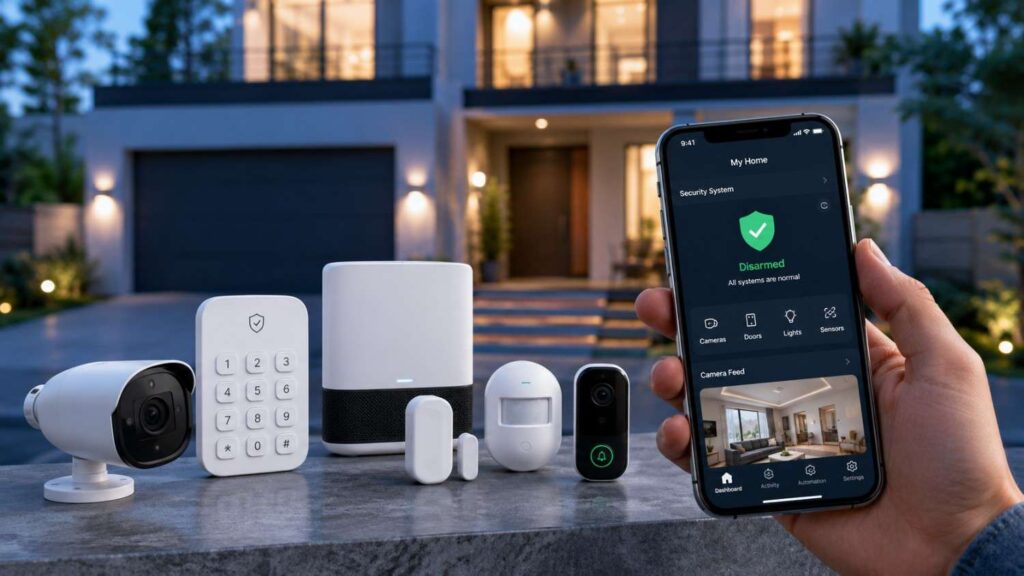
Modern security systems may combine a hub, control panel, door and window sensors, motion detectors, sirens, video doorbells, indoor or outdoor cameras, smart locks, glass-break detectors, water sensors, and smoke or carbon monoxide integrations. Some systems use a central hub, while others connect devices directly through Wi-Fi, Thread, Ethernet, or a proprietary wireless network.
The most important differences often appear after installation. A product may advertise an affordable starter kit while requiring a subscription for video history, person detection, cellular backup, extended warranties, or professional monitoring. Another may cost more initially but provide useful local features without an ongoing plan.
Reliability also matters. A system that depends entirely on broadband may lose remote communication when the internet fails. A camera without local recording may stop creating accessible footage during an outage. An alarm hub without battery backup may become unavailable during a power interruption.
Privacy and cybersecurity deserve equal attention. Smart cameras and microphones can capture sensitive activity inside and around the home. The FTC advises consumers to research camera encryption, use unique passwords, enable two-factor authentication, keep software updated, and secure the home network.
The best system is therefore not always the one with the most features. It is the one that provides appropriate coverage, dependable communication, understandable alerts, reasonable ownership costs, strong account protection, and a response process that works for the household.
Assess Your Risks, Budget, and Monitoring Needs
A useful home security plan begins with the property and the people who live there. Before comparing brands, decide which incidents need detection, which spaces require protection, and who should respond when the system reports a problem.
Start with the physical layout. A small apartment may need only a main-door sensor, a motion detector, a siren, and a video doorbell. A larger house may require several entry sensors, garage coverage, exterior cameras, glass-break detection, and stronger backup communication. Homes with children, pets, older relatives, cleaners, tenants, or regular visitors may also need flexible user permissions and temporary access codes.
Next, create a budget that includes more than the equipment price. Account for installation, monitoring, video recording, cellular backup, replacement batteries, warranties, repairs, and advanced alert features. An inexpensive starter package can become costly when several essential functions require separate monthly subscriptions.
The FTC warns that equipment advertised as “free” may be tied to a long and expensive monitoring agreement. It recommends getting promises in writing and checking monitoring charges, installation fees, warranties, contract length, and cancellation rights.
Finally, decide how much responsibility you want during an alarm. Self-monitoring gives the homeowner direct control but requires someone to notice and evaluate every important alert. Professional monitoring adds a staffed response process, but procedures, fees, and contracts vary.
The right decision should reflect actual availability and risk. Avoid choosing professional monitoring only because a salesperson creates urgency, and avoid self-monitoring only to save money when nobody can reliably respond.
Map Entry Points and Daily Routines
Begin the equipment plan with the perimeter. Exterior doors are usually the highest priority, followed by accessible windows, attached garages, basement entrances, patio doors, and side gates. A contact sensor can report when a protected door or window opens, while a motion detector can cover a wider interior area.
Placement should reflect how the home is used. A motion detector aimed at a busy staircase or pet area may generate unnecessary alerts. A camera facing a private bedroom or family area may capture more sensitive information than the household is comfortable storing.
Consider how people enter and leave during a normal week. Family members, cleaners, carers, contractors, dog walkers, and guests may need different access rights. Look for separate accounts or codes, limited permissions, temporary schedules, and activity history. Sharing one administrator login makes it harder to control access and understand who changed a setting.
Pet ownership should also influence sensor selection. Confirm whether motion detectors offer appropriate pet settings and whether those limits match the animal’s size, movement, and access to furniture.
After installation, test the system during normal routines. Walk through the house, open each protected entry, allow pets to move naturally, and confirm that alerts are useful. A security system that produces constant nuisance notifications may eventually be ignored, creating less protection rather than more.
Compare Self-Monitoring and Professional Monitoring
A self-monitored system sends notifications to the homeowner or selected contacts. The user reviews the alert, checks camera footage where available, and decides whether to contact a neighbour, emergency service, or another trusted person.
The main advantages are control, flexibility, and potentially lower recurring costs. The main weakness is dependence on someone seeing and acting on the notification. Alerts may be missed during meetings, sleep, travel, poor connectivity, or a dead phone battery.
Professional monitoring sends eligible alarm events to a monitoring centre. Depending on the provider and plan, trained staff may attempt verification, contact account holders, notify designated contacts, or request emergency assistance. These procedures are not identical across companies, so ask exactly what happens after an entry alarm, panic signal, smoke alert, or communication failure.
Professional monitoring may suit frequent travellers, households with vulnerable residents, and people who cannot reliably check alerts. Self-monitoring may suit users who remain reachable and want to avoid a service contract.
Before enrolling, confirm whether cellular backup is included and whether the monitoring centre receives events when home broadband fails. Ask about alarm verification, response times, cancellation rules, and moving policies.
The FTC also recommends contacting local police and fire departments to ask whether alarm registration is required and whether false-alarm fees apply.
If you want additional context before deciding, independent monitoring comparison resources can help you evaluate the practical differences between self-monitoring and professionally monitored systems.
Calculate the Full Ownership Cost
Compare systems over a realistic ownership period rather than focusing on the advertised equipment price. A starter kit may appear affordable but omit cameras, extra sensors, professional installation, recording, cellular backup, or features the household considers essential.
Create a cost worksheet that includes:
- Hub or control panel
- Entry and motion sensors
- Cameras and doorbells
- Installation
- Monitoring
- Local or cloud recording
- Cellular communication
- Advanced alerts
- Extended warranties
- Replacement batteries
- Repairs and replacement devices
Ask which functions stop when the paid plan ends. Some systems retain local alarms and basic mobile control. Others may remove recorded history, advanced recognition, emergency response, warranty coverage, or cellular backup.
Review the contract for its minimum term, automatic renewal, moving policy, early termination charge, equipment ownership, trial period, refund conditions, and cancellation procedure. The FTC recommends making sure the contract package clearly lists the installation price, monitoring fee, contract period, discounts, written warranty, owner’s manual, and cancellation explanation.
Do not assume a month-to-month service is automatically cheaper. Calculate the complete multi-year cost and compare it with the practical value of the included services.
A system with a higher initial price, clearer support policy, and flexible cancellation may deliver better long-term value than heavily discounted equipment linked to restrictive fees.
| Buying Factor | Why It Matters | What to Compare |
|---|---|---|
| Property Size | Determines required coverage | Number of sensors, cameras, and zones |
| Monitoring Option | Affects emergency response | Self-monitoring vs professional monitoring |
| Privacy Features | Protects personal data | Encryption, two-factor authentication, access controls |
| Smart Home Compatibility | Ensures device integration | Matter support, Wi-Fi, Thread, smart assistants |
| Backup Options | Improves reliability | Battery backup, cellular backup |
| Video Storage | Impacts access and cost | Cloud storage, local storage, hybrid options |
| Long-Term Cost | Avoids unexpected expenses | Equipment cost, subscriptions, maintenance |
| Software Support | Keeps devices secure | Firmware updates, security patches, support lifecycle |
Compare Sensors, Cameras, and Reliability Features
A balanced security system uses several types of devices because no single product can detect or explain every event. Door and window sensors report when an entry point opens. Motion detectors cover wider interior spaces. Cameras provide visual verification. Sirens alert occupants and may discourage continued intrusion.
Begin with perimeter protection and the main path someone would take through the property. Secure the most frequently used exterior doors, accessible windows, garage entrances, and connections between entry points and valuable areas. Add cameras where visual information will help you distinguish between a genuine threat, delivery, visitor, pet, or false trigger.
Home safety should also be considered. A security platform may integrate smoke, carbon monoxide, heat, water, or temperature sensors, but these connected features should support rather than replace correctly installed life-safety alarms.
The U.S. Fire Administration recommends smoke alarms inside every bedroom, outside each sleeping area, and on every level of a home. It also advises replacing smoke alarms ten years after the date of manufacture and installing carbon monoxide alarms for early warning.
Reliability features can be as important as the sensors themselves. Ask what occurs when broadband, electrical power, a vendor cloud, or a single device fails. Battery backup, cellular communication, local sirens, local recording, and offline operation can reduce reliance on one connection.
The table below explains the main purpose of common components and the questions that should guide a purchase.
| Component | Main Purpose | Important Buying Checks |
|---|---|---|
| Door/window sensor | Detects an opening | Battery life, tamper alerts, mounting method |
| Motion detector | Covers larger indoor areas | Pet settings, range, placement options |
| Video doorbell | Monitors visitors and deliveries | Field of view, recording plan, power source |
| Outdoor camera | Watches entrances and outdoor areas | Weather rating, night performance, storage |
| Indoor camera | Provides interior verification | Privacy shutter, microphone controls, permissions |
| Smart lock | Controls and records entry | Backup key, temporary codes, battery warnings |
| Siren | Warns occupants and discourages intrusion | Volume, placement, backup power |
| Smoke/CO integration | Adds connected safety notifications | Certification, placement, local alarm operation |
| Cellular backup | Maintains communication when broadband fails | Subscription requirement and coverage |
| Battery backup | Keeps core equipment operating during outages | Expected runtime and replacement process |
Choose Core Devices Before Optional Extras
For many homes, the core system includes a hub or control panel, sensors for exterior entry points, one or more motion detectors, a loud siren, and reliable mobile notifications. Cameras, smart locks, glass-break sensors, water detectors, and other devices should be added only where they solve a defined need.
Protect doors and accessible windows before adding several indoor cameras. An entry sensor can report the first opening immediately, while a camera may provide useful verification after the event.
Use cameras at locations where visual context has practical value, such as a front entrance, driveway, back door, detached garage, or package-delivery area. Avoid placing indoor cameras merely because they are included in a bundle. Consider whether they capture children, guests, personal conversations, work documents, or neighbouring property.
Check field of view, night performance, audio controls, weather protection, power source, and recording behaviour. High resolution alone does not guarantee usable evidence. A poorly positioned camera may show only glare, darkness, or the top of a visitor’s head.
For smart locks, confirm that the existing door and deadbolt move smoothly. Review temporary codes, activity history, low-battery warnings, physical-key options, and external emergency-power methods.
Optional equipment should expand a strong core system rather than distract from uncovered entry points, weak backup communication, or unreliable account security.
Reviewing practical security device planning guidance can also help you prioritize essential equipment before investing in optional smart home security features.
Plan for Internet, Power, and Equipment Failures
Ask what continues operating when the internet connection becomes unavailable. A well-designed system may still detect entry, activate a siren, record locally, or run selected automations even when remote alerts and cloud access stop.
Cellular backup can maintain communication between the alarm and a monitoring service when broadband fails. However, it may require a particular subscription. Confirm which cellular carrier is used, whether the property has adequate coverage, and which events can be transmitted through the backup connection.
Battery backup should support the control hub and essential communication equipment. Check the expected runtime, charging behaviour, replacement interval, and availability of replacement batteries. A battery specification is only useful when the household understands which devices it actually protects.
Cameras create additional failure points. Battery cameras are flexible but require charging. Plug-in cameras depend on electrical power. Local recording depends on the storage device remaining available. Cloud recording depends on internet access and vendor service availability.
Test these situations after installation. Disconnect the home internet connection, trigger an entry sensor, and confirm whether the siren and local recording work. Use the manufacturer’s approved procedure to test battery backup and monitoring communication.
Also plan for device failure. Determine how the system reports low batteries, disconnected sensors, blocked cameras, storage errors, or hub communication problems.
A reliable system should explain failures clearly rather than silently losing protection.
Check Compatibility, Privacy, and Cybersecurity Before Buying
A smart home security system should fit the household’s network and existing platforms without making protection dependent on unnecessary integrations. Confirm whether devices use Wi-Fi, Ethernet, Thread, Bluetooth, another low-power protocol, or a proprietary hub.
Matter can improve interoperability between certified devices and smart-home ecosystems. The Connectivity Standards Alliance lists bridges, controllers, door locks, safety and security sensors, and other smart-home categories within Matter. Matter 1.5 expanded the standard to include cameras, while Matter 1.6, released in June 2026, focused on easier setup and improved multi-ecosystem management.
Compatibility still needs to be checked feature by feature. A camera may connect to more than one platform while its advanced recording, monitoring, recognition, or privacy settings remain available only through the manufacturer’s application.
Cybersecurity should be reviewed at the product, account, network, and support levels. NIST IR 8425 identifies cybersecurity capabilities commonly needed across consumer IoT products. NIST’s router profile emphasizes that the home router is critical because connected devices often rely on it to reach the internet.
Before buying, confirm whether the manufacturer provides automatic updates, vulnerability information, customer-security instructions, and a documented support period. A feature-rich product may become a poor investment when updates end soon after purchase.
Privacy should be evaluated separately from technical security. Ask what information is collected, why it is collected, where it is stored, who can access it, and what happens after cancellation or account deletion.
| Connectivity Option | Best For | Key Advantages | Potential Limitations |
|---|---|---|---|
| Wi-Fi | Most smart homes | Easy setup, wide device support | Depends on internet stability |
| Ethernet | Fixed security hubs and NVRs | Stable and reliable connection | Requires wired installation |
| Thread | Low-power smart devices | Fast response, energy efficient | Limited device compatibility |
| Matter | Multi-brand smart home ecosystems | Cross-platform compatibility | Some advanced features may still require manufacturer apps |
| Cellular Backup | Emergency communication | Keeps system connected during internet outages | Often requires a subscription or monitoring plan |
Secure the Home Network and User Accounts
Most connected security devices depend on the home router, so network security is part of the alarm system. The FTC recommends changing default router settings, enabling supported encryption, keeping router software updated, and using a strong password. Its Wi-Fi guidance identifies WPA3 Personal as the newer preferred option, while WPA2 Personal remains an acceptable encrypted alternative when WPA3 is unavailable.
Change the default administrative username, password, and network name where the router permits it. Do not reuse the same password for the security account, email account, and Wi-Fi network.
Enable two-factor authentication for camera, alarm, and cloud-storage accounts. The FTC recommends using two-factor authentication where available because it adds another requirement beyond the password.
Give each household member an individual account instead of sharing the main administrator credentials. Individual access allows permissions to be removed without changing everyone’s login and provides clearer activity history.
Consider placing cameras and other IoT devices on a separate guest or IoT network when supported. The FTC notes that network separation may limit easy access to cameras if another computer or device is compromised.
Review connected devices and authorized users regularly. Remove old tenants, installers, carers, guests, and contractors. Enable alerts for new logins, password changes, permission updates, and unfamiliar devices whenever the platform supports them.
Related Articles
Compare Cloud Storage, Local Storage, and Privacy Controls
Cloud recording stores footage on the provider’s remote infrastructure. It can preserve video when a camera or local recorder is stolen and may make remote access easier. However, it normally requires an internet connection, a vendor account, and often an ongoing subscription.
Local recording may use a memory card, hub, network video recorder, or another storage device in the home. It can reduce subscription dependence and give the owner more direct possession of recordings. Its main limitation is that footage may be lost if the storage device is damaged, removed, or stolen.
A hybrid approach can provide local recording with optional off-site backup. The value depends on whether the recordings are encrypted, how access works, and what functions remain without the vendor’s cloud.
Ask the manufacturer:
- Are live streams and stored recordings encrypted?
- How long is footage retained?
- Can the owner download and permanently delete recordings?
- Can employees or contractors access footage?
- Is data used for advertising or model development?
- Can microphones and remote viewing be disabled?
- What happens after subscription cancellation?
The FTC recommends researching camera encryption, enabling available security features, reviewing permissions, and considering whether remote viewing should be disabled for cameras covering sensitive areas.
Privacy controls should be simple enough for all household members to understand. A control that exists only in a hidden menu may provide limited practical value.
Verify Updates, Support, and Long-Term Compatibility
A connected alarm, camera, lock, or hub remains safer only while the manufacturer continues identifying vulnerabilities and delivering suitable updates. Unsupported equipment may remain functional while becoming increasingly difficult to protect.
NIST research warns that unsupported smart-home products can create safety and security concerns, particularly when users are not clearly informed that support has ended.
Before purchasing, look for a published security-update policy. It should explain how updates are delivered, whether they install automatically, how long support lasts, and how customers are informed about significant vulnerabilities or end-of-life dates.
NIST’s 2026 revision of its foundational IoT manufacturer guidance emphasizes cybersecurity activities across the product lifecycle, including customer communication, maintenance, support, and end-of-life considerations.
Confirm whether the system can continue basic local operation if cloud services are discontinued. A camera that depends entirely on remote servers may lose recording, viewing, or notification features when vendor support changes.
Also check whether replacement sensors, batteries, mounts, and hubs are available. A system is easier to maintain when individual parts can be replaced without discarding the complete installation.
Long-term compatibility matters too. An integration that works today may change after platform updates. Prefer systems with clear standards support, active maintenance, exportable recordings, and useful local functions over products that depend on one unsupported proprietary service.
Quick Answer About How to Choose the Right Smart Home Security System
To choose the right smart home security system, begin with the risks specific to your property rather than choosing the largest equipment package. Identify vulnerable doors, accessible windows, garages, delivery areas, and rooms that need protection. Decide whether you want to review alerts yourself or pay for professional monitoring that can follow a defined response process.
Next, compare the equipment required to protect those areas. A balanced system may include entry sensors, motion detectors, a siren, cameras, smoke or carbon monoxide integration, battery backup, and cellular communication. Confirm which functions continue during an internet or power outage.
Before buying, review privacy and cybersecurity. Look for encryption, individual user accounts, two-factor authentication, automatic updates, clear support periods, and useful data controls. The FTC recommends researching encryption, changing default credentials, securing the router, updating devices, and enabling two-factor authentication where available.
Finally, calculate the complete cost. Include installation, monitoring, recording, cellular backup, advanced alerts, maintenance, and cancellation fees. Read the contract carefully and confirm what remains functional without a subscription.
Start With Your Actual Security Risks
One thing I always check first is what the household is genuinely trying to protect against. A renter in an upper-floor apartment may need a video doorbell, one entry sensor, a motion detector, and a portable siren. A detached home with several exterior doors, a garage, and a garden may need broader perimeter protection and outdoor verification.
Walk around the property from the outside before selecting equipment. Identify exterior doors, low or accessible windows, side gates, basement entrances, garages, poorly lit areas, and locations where packages are left. Then examine how someone could move from those entry points toward bedrooms, offices, valuables, or family areas.
The assessment should include more than burglary. Consider fire, carbon monoxide, water leaks, medical emergencies, power failures, and internet outages. The U.S. Fire Administration recommends smoke alarms in every bedroom, outside each sleeping area, and on every level of the home, including the basement. It also advises installing carbon monoxide alarms to provide early warning of CO.
Your routine matters too. Frequent travellers may value monitoring and cellular backup. People working from home may prefer strong exterior coverage with fewer indoor cameras. Renters may prioritize removable sensors and portable equipment.
Use a Whole-System Buying Checklist
Do not choose a security system based only on camera resolution, an introductory discount, or the number of devices in a bundle. A working security system combines hardware, connectivity, software, accounts, monitoring procedures, storage, support, privacy controls, and long-term maintenance.
Begin with the main outcome. Decide which events you want the system to detect, how you want to be notified, who should respond, and what evidence should be recorded. Then confirm whether the equipment and service can deliver that outcome during normal operation and common failures.
Use this checklist:
- Which doors, windows, and outdoor areas require protection?
- Is installation DIY or professional?
- What continues working when Wi-Fi or power fails?
- Is professional monitoring required or optional?
- Are recordings stored locally, in the cloud, or both?
- Which functions require a paid plan?
- Are software updates automatic?
- How long is security support promised?
- What does the warranty cover?
- Can equipment be reused after cancellation or moving?
The FTC recommends confirming installation costs, monitoring fees, contract duration, warranties, cancellation rights, and the monitoring company’s exact alarm-response procedure. It also advises checking local alarm-registration and false-alarm requirements.
A strong buying checklist prevents the hardware, subscription, and privacy decisions from being evaluated separately.
Frequently Asked Questions
Selecting a security system creates practical questions because products combine several services that are often marketed separately. A camera may work without monitoring but require a subscription for recording. An alarm may detect entry locally but need cellular service to contact a monitoring centre when broadband fails.
There is no single system that fits every home. The best choice depends on the property, people living there, local emergency-response rules, internet reliability, privacy expectations, technical confidence, and willingness to pay recurring fees.
Buyers should also separate intrusion security from life safety. A smart-home platform may send notifications from compatible smoke or carbon monoxide devices, but connected alerts should not replace correctly installed and maintained alarms that sound locally.
The U.S. Fire Administration recommends smoke alarms inside every bedroom, outside sleeping areas, and on every level. It also advises carbon monoxide alarms for early warning of CO.
The FAQs below address monitoring, connectivity, recording, wireless security, renters, and product selection. Each answer should be applied to the manufacturer’s written specifications and service terms because offline behaviour, storage, backup communication, and subscription requirements vary.
Before relying on a system, test it under realistic conditions. Confirm that entry sensors, sirens, user accounts, cameras, notifications, recording, and backup communication behave as expected.
What Should I Look for in a Smart Home Security System?
Look for equipment that matches the property rather than the largest available bundle. A suitable system normally begins with reliable protection for exterior doors and accessible windows, useful motion coverage, a loud siren, and clear mobile notifications.
Then evaluate reliability. Check battery backup, cellular communication, offline operation, low-battery warnings, tamper notifications, and what happens when the vendor’s cloud or the home internet connection becomes unavailable.
Review account security, including unique user accounts, two-factor authentication, encryption, automatic updates, and a published support period. The FTC recommends researching encryption, replacing default credentials, keeping software updated, and enabling available security features.
Finally, compare the service terms. Confirm which features require payment, how recordings are stored, whether monitoring is optional, what the warranty covers, and whether the equipment remains useful after cancellation.
A good system should be understandable during everyday use. Alerts should clearly identify the device and event, user permissions should be manageable, and failures should be reported rather than hidden.
Is Professional Monitoring Worth It?
Professional monitoring may be worthwhile when household members travel frequently, cannot reliably check alerts, or want trained staff to follow a documented alarm procedure. It may also provide reassurance for homes with older adults, children, health concerns, or higher-value property.
The service does not remove every responsibility from the homeowner. Users still need to maintain equipment, update contact information, reduce false alarms, and understand what the monitoring centre will do.
Ask whether the provider verifies an alarm before requesting emergency assistance, what occurs when nobody answers, how panic and life-safety signals are handled, and whether cellular backup is included.
Also confirm the agreement length, cancellation charge, moving policy, trial period, and equipment ownership. A low equipment price may be linked to a longer service commitment.
The FTC recommends getting all promises in writing and reviewing monitoring charges, installation costs, warranties, contract periods, and cancellation rights.
Professional monitoring offers the most value when its response procedure matches the household’s needs. It offers less value when buyers pay for a service they do not understand or when poor sensor placement produces repeated false alarms.
Can a Home Security System Work Without Wi-Fi?
Some systems can continue performing important local functions without Wi-Fi. Entry sensors may still communicate with the central hub, the siren may sound, and local automations or recordings may continue. Remote viewing and app notifications may stop if the system has no alternative connection.
Cellular backup can allow a compatible alarm to communicate with a professional monitoring centre when broadband is unavailable. This function may require a paid plan, and the property must have suitable cellular coverage.
Local storage can allow some cameras to record during an internet interruption, but the camera, hub, and storage device still require electrical power or battery backup. Cloud-only cameras may be unable to upload footage while offline.
Ask the provider to explain the behaviour of each feature during:
- Broadband failure
- Wi-Fi router failure
- Electrical outage
- Cellular outage
- Vendor-cloud interruption
Do not rely only on a statement that the system “works offline.” That phrase may refer only to the siren or sensors rather than recording, monitoring, and remote alerts.
After installation, test the approved failure scenarios. Confirm what continues working and how the system reports the outage.
Is Local Video Storage Better Than Cloud Storage?
Local storage is better for some privacy and cost preferences, while cloud storage is better for some off-site protection and remote-access needs. Neither option is automatically superior.
Local storage may avoid a monthly recording fee and keep footage under the owner’s physical control. It can also continue recording during some internet outages. However, recordings may be lost if the camera, hub, memory card, or recorder is damaged or stolen.
Cloud storage protects footage away from the property and may provide convenient history, sharing, and advanced analysis. Its disadvantages can include recurring fees, internet dependence, account exposure, provider access, and policy changes.
A hybrid system may provide the most balanced arrangement by recording locally and backing up selected events remotely.
Before selecting either approach, compare retention time, encryption, storage limits, download options, deletion controls, subscription requirements, and what happens when service is cancelled.
The FTC advises researching encryption, protecting cloud accounts with strong passwords and two-factor authentication, and reviewing remote-viewing permissions.
The best choice is the one that matches the household’s privacy expectations, outage plan, evidence requirements, and budget.
Are Wireless Home Security Systems Secure?
Wireless systems can be secure when the manufacturer uses appropriate encryption, protects accounts, provides regular updates, and explains how security vulnerabilities are handled. The home network and user behaviour remain important parts of that protection.
Change default router and device credentials. Use unique passwords, enable two-factor authentication, and keep the router, mobile application, hub, cameras, locks, and sensors updated.
The FTC recommends using WPA3 or WPA2 encryption on the home Wi-Fi network, changing default router settings, and installing updates.
NIST’s consumer IoT baseline identifies cybersecurity outcomes commonly needed across connected consumer products, while its router guidance emphasizes the central role of the consumer-grade router in protecting home devices.
Wireless reliability should be considered separately from cybersecurity. Interference, distance, low batteries, weak Wi-Fi coverage, and blocked signals may affect communication even when the system is technically secure.
Choose a system that reports disconnected devices, weak batteries, failed updates, and communication loss. A wireless product should not silently stop reporting.
Avoid products with permanent default passwords, unclear update policies, unsupported remote access, or no published method for reporting vulnerabilities.
Can Renters Install a Smart Security System?
Renters can use portable hubs, adhesive-mounted contact sensors, battery cameras, plug-in indoor cameras, removable sirens, and wireless video doorbells that require few permanent property changes.
Begin by reviewing the lease. Obtain written permission before drilling, replacing locks, installing hardwired devices, changing exterior fixtures, or mounting equipment in shared areas. Building rules may also restrict hallway cameras or devices that capture neighbouring doors.
Choose equipment that can be removed, reset, and reused at another property. Confirm whether adhesive mounts are included, replacement strips are available, and the hub can connect to a new Wi-Fi network without a professional visit.
Privacy matters in multi-unit properties. Position cameras so they protect the renter’s entrance without unnecessarily recording neighbours, shared corridors, or private areas outside the rented space.
A renter may not need professional monitoring, but it can still be useful when frequent travel or personal circumstances make self-monitoring unreliable. Check whether the service can move with the customer and whether changing addresses creates installation or cancellation fees.
After moving, remove the old location from the account, reset devices where necessary, delete former household members, and verify that recordings and permissions are handled correctly.
Conclusion
Understanding how to choose the right smart home security system requires a complete view of the property, equipment, monitoring process, connectivity, privacy, and ownership costs. The decision should begin with actual risks rather than a promotional package.
Map exterior doors, accessible windows, garages, delivery areas, and rooms requiring protection. Choose entry sensors and motion detection before adding optional devices. Place cameras only where visual verification provides clear value, and consider whether each camera captures sensitive household or neighbouring activity.
Decide whether alerts will be self-monitored or handled through a professional service. Self-monitoring offers flexibility, while professional monitoring provides a staffed response process. The correct choice depends on availability, travel, household needs, and willingness to pay recurring fees.
Reliability must be tested. Confirm what happens during broadband failure, power interruption, low batteries, cellular outages, and vendor-cloud problems. Battery backup, local sirens, cellular communication, and local recording can reduce single points of failure.
Cybersecurity should influence the purchase before installation. Use unique passwords, individual accounts, two-factor authentication, encrypted Wi-Fi, software updates, and clearly documented manufacturer support. NIST’s current IoT guidance emphasizes product cybersecurity across development, maintenance, customer communication, and end-of-life.
Finally, calculate the total multi-year cost and read the contract. The right system provides dependable protection, understandable controls, manageable fees, reasonable privacy, and useful operation even when one connection or service fails.
The Key Steps to Remember
Use the following process when comparing systems:
- Identify intrusion, safety, and outage risks.
- Map exterior doors, windows, garages, and delivery areas.
- Choose between self-monitoring and professional monitoring.
- Select core sensors before optional devices.
- Place cameras only where they add useful verification.
- Check battery, internet, power, and cellular failure behaviour.
- Compare local, cloud, and hybrid recording.
- Verify smart-home and Matter compatibility feature by feature.
- Review encryption, two-factor authentication, and update support.
- Calculate equipment, subscription, installation, and cancellation costs.
- Read warranties and service agreements.
- Test the completed system.
The steps should be completed in this order because each decision affects the next. Equipment selection depends on risk. Monitoring depends on availability and desired response. Storage depends on privacy and evidence needs. The contract determines long-term cost.
Do not let optional features distract from essential protection. A sophisticated camera does not replace an uncovered door sensor. A smart lock does not compensate for weak account security. A professional monitoring plan cannot fix devices that lose power without backup.
A successful system is one the household understands, maintains, and uses consistently.
Your Best Next Action
Walk through the property and draw a simple security map. Mark exterior doors, reachable windows, garages, gates, delivery locations, and routes leading toward bedrooms, offices, or valuables.
Next to each location, write the most useful response. A door may need an opening sensor and siren. A driveway may need visual verification. A basement may require intrusion protection, water detection, and properly placed life-safety alarms.
Create three categories:
- Essential at launch
- Useful later
- Unnecessary for this property
Then compare three systems using the same requirements. Include hardware, installation, monitoring, recording, cellular backup, warranty, replacement batteries, and cancellation charges. Do not compare one provider’s starter price with another provider’s complete service cost.
Read each privacy policy, update policy, warranty, and monitoring agreement. Confirm which features work locally and which depend on a subscription or vendor cloud.
Before final purchase, contact the provider with any unanswered questions and save the written response. After installation, test the system during normal routines and approved failure scenarios.
This process turns an emotional purchase into a controlled decision based on risk, reliability, privacy, and long-term value.